

AI Commercial Generator
OpenArt's AI commercial generator lets you create a complete video commercial from a product image, product description, script, or creative idea. Build the ad concept, add your hook and voiceover, and export a version sized for every platform you run.
Key Benefits of AI Commercial Maker



Start From A Brief Or A Script
Paste the creative brief you already wrote, or drop in a finished commercial script in any language. The AI commercial maker builds the scenes around whichever one you have.



Make Any Style Of Commercial
Cinematic, luxury, ecommerce, TVC, lifestyle, food, beauty, and tech product commercials all come out of the same tool. Name the style in your brief and OpenArt matches the look, the pacing, and the lighting to it.
Export For Every Platform You Run
Amazon, TikTok, Instagram, and YouTube each want a different shape and length. Generate the commercial once, then make vertical, square, and widescreen versions of it at the length each channel takes. Your whole set of placements comes from one concept.
Community Creations
See the commercials creators, brands, and small businesses are making with OpenArt's AI commercial generator, from quick social spots to full brand campaigns.
Key Features of AI Commercial Maker
From a creative brief to finished 4K commercial
Turn Your Script Or Product Photos Into Scenes
OpenArt is the fastest way to go from a product image to a fully animated, 4K commercial ad video. Just type the script of the video and any specific details, upload the right reference images, and your commercial video will be ready within minutes. You can also create product photos from scratch right within OpenArt’s AI image generator to animate into a commercial ad later.
Multilingual Voiceovers and Hooks
The first three seconds decide whether anyone keeps watching, so write your hook into the script itself. Models like Veo 3.1 and Seedance 2.5 speak your voice lines with the audio already matched to the picture. Multiple languages are supported along with native sound, voiceover (TTS), and dialogue generation in any accent.
Multi-Format Ads for Every Platform and Channel
Every platform wants a different shape and aspect ratio: vertical for Reels and TikTok, square for feed posts, widescreen for YouTube or TV. Generate your commercial once, then quickly create versions in the aspect ratios and durations each channel needs. 1:1, 9:16, 16:9, and all other ratios are available.
Keep Every Commercial On Brand
Save your logo, exact hex colors, fonts, product shots, and brand rules once in your Brand Kit. Set the kit on the project and every commercial you make in the AI video generator comes out in your colors and your type.
How OpenArt's AI Commercial Generator Works
Going from a concept to a finished commercial takes three simple steps.
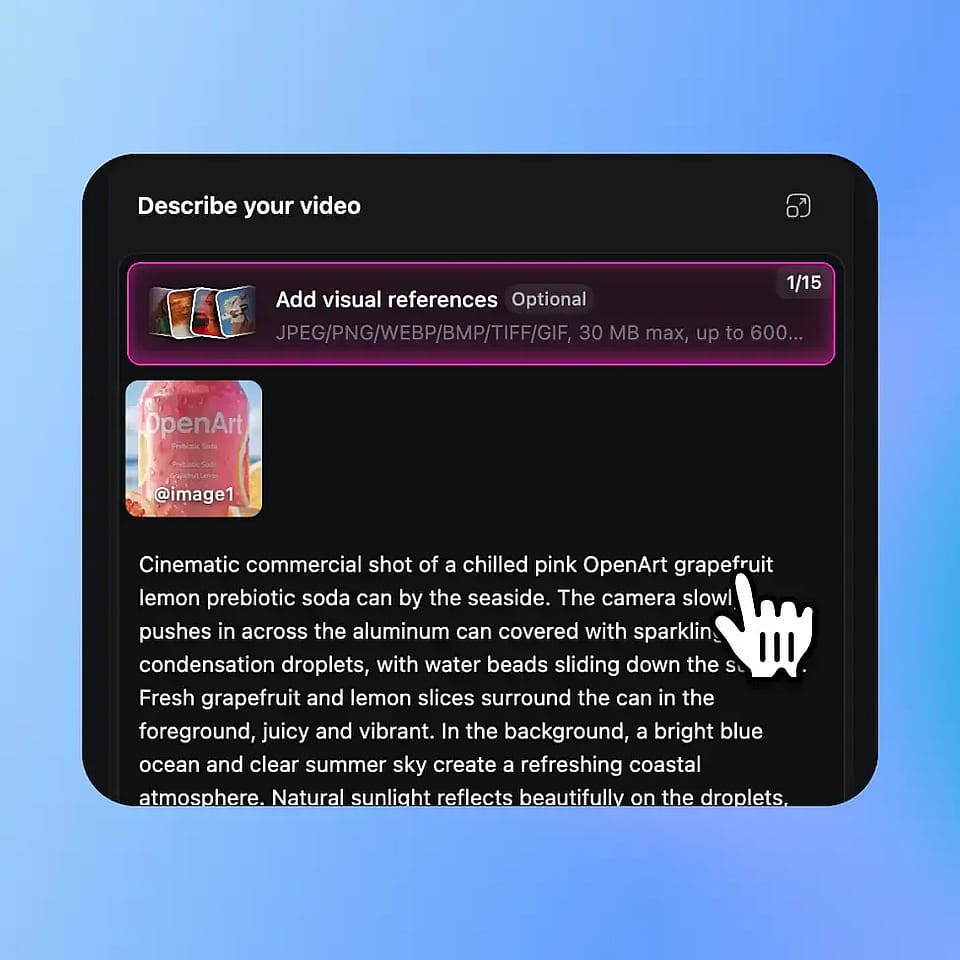
Prompt and add references
Open the AI video generator and paste your creative brief or your script, or describe the product and the offer. Upload your product photo or logo as a reference image.
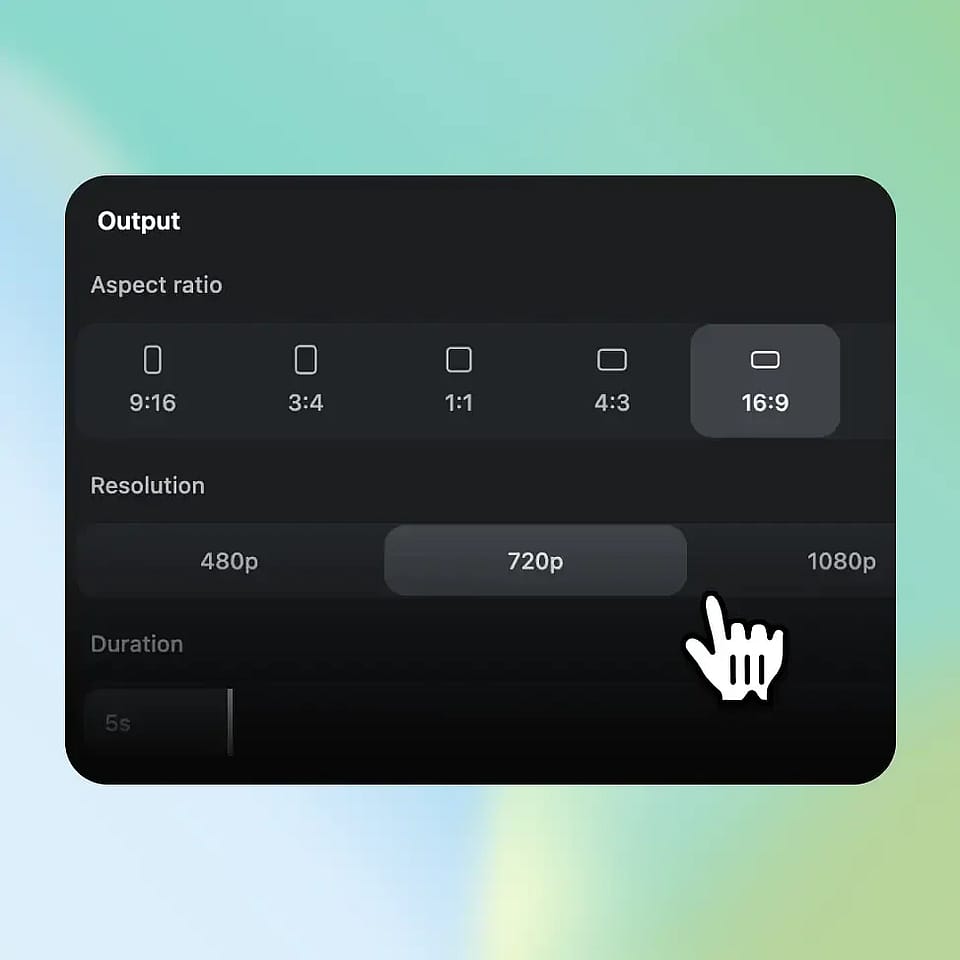
Configure the output
Pick your video model, duration, aspect ratio, and resolution. Add your Brand Kit so the colors, fonts, and logo come out right, then generate.
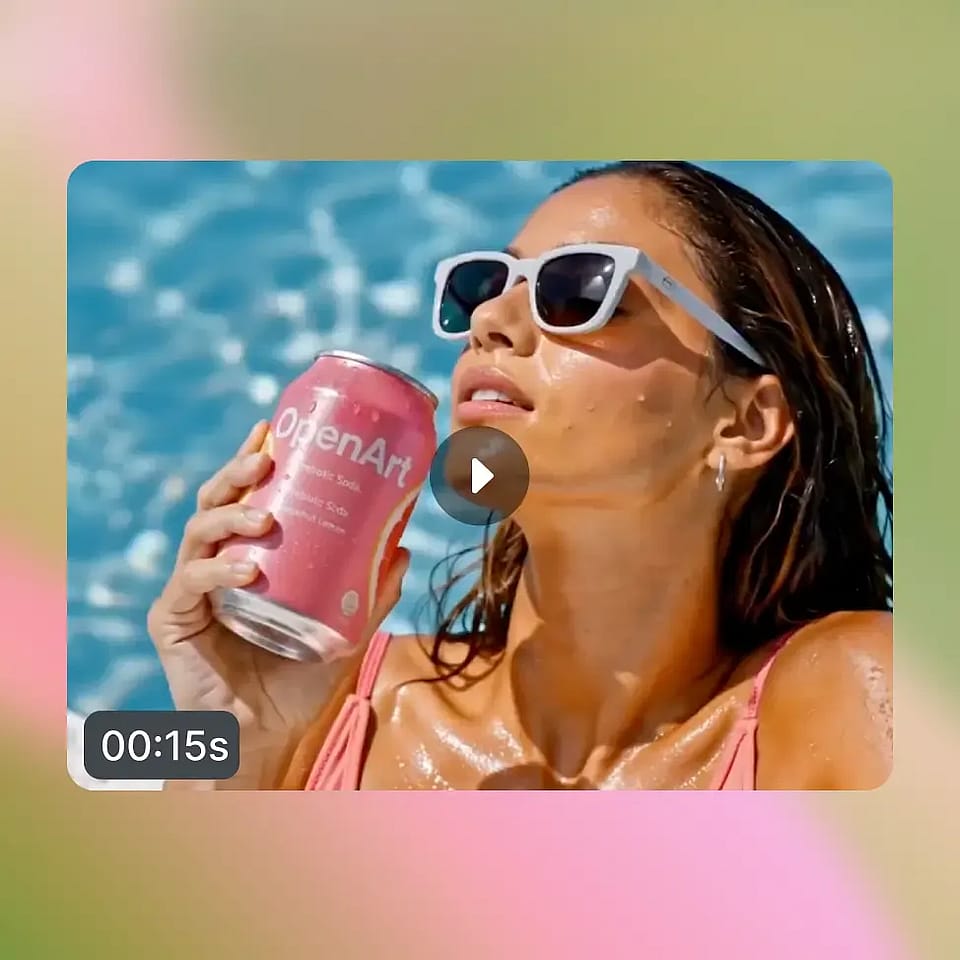
Refine and download
Not quite right? Say what to change and regenerate just that part or create video variations. Then download in the format you need.
The Best Uses for AI Commercial Creator
These are just a few of the business types building commercials with OpenArt. No shoot, no editing skills, no production team needed.
E-Commerce and DTC Brands
You're running ads across multiple products and need commercials that convert, fast. Turn product photos into video spots that show the item in use, highlight the offer, and end on a clear call to action, ready for paid social or your online store’s hero video.
Try it NowMarketing Agencies and Brand Teams
You're producing commercials for multiple clients or campaigns and need to move quickly without sacrificing quality. Generate on-brand spots for each client, test different concepts, and deliver polished commercials without booking separate shoots for every client account.
Try it NowSmall Business Owners
You don't have a marketing department or a production budget, but you still need a commercial that looks professional. Describe your business and what makes it worth visiting, and OpenArt builds a spot you can run on social media or your website.
Try it NowSocial Media Managers and UGC Creators
You're posting constantly across platforms and need fresh commercial content without constant reshoots. Generate quick spots in the format each platform needs, from vertical Reels to widescreen YouTube Ads, and keep your feed full.
Try it NowProduct Launches and Startups
You’ve put in a lot of effort into your product, and you deserve a commercial ad that matches the quality! Build a launch commercial that explains what your product is, why it matters, and where to find it, ready before launch day instead of scrambled together at the last minute.
Try it Now