

 ChatGPT
 Perplexity
 Claude
 Gemini
Top 50 AI Image Prompts: Copy-Paste Templates for Every Use Case
A useful AI image prompt tells the model what to show and which visual details matter. Instead of "a beautiful landscape," describe the location, foreground, light, and mood: "jagged alpine peaks at sunrise, mist filling the valleys, wildflowers in the foreground, warm light on the summit, photorealistic landscape photography."
Below are 50 copy-and-paste AI image prompts across 10 categories, plus a reusable template for each category. Start with an example in OpenArt's AI image generator, or replace the bracketed fields in a template to build your own. The sample images illustrate the visual direction; results vary with the model, settings, references, and generation.
Jump to a category:
- Portrait & Headshot
- Landscape & Nature
- Product & Mockup
- Logo & Brand Visuals
- Anime & Manga
- Concept Art & Fantasy
- Architecture & Interior
- Food & Lifestyle
- Cyberpunk & Sci-fi
- Vintage & Retro
The Anatomy of a Great AI Image Prompt
A practical starting point is subject and action + setting + composition + lighting + style. You do not need every element in every prompt; include the details that affect the result you want.
- Subject and action: Who or what is in the image, and what are they doing?
- Setting: Where does the scene take place, and which surroundings matter?
- Composition: Is it a close-up, overhead view, wide shot, or centered layout?
- Lighting: Name the direction, softness, and color of the light.
- Style: Specify photography, illustration, painting, or another visual treatment.
Before: A coffee cup on a table.
After: A ceramic coffee cup on a worn oak table beside a window, close-up composition with the cup on the right, soft morning light from the left, a blurred kitchen in the background, natural editorial photography.
For edits, also state what should stay unchanged. For images with lettering, put the exact text in quotation marks and describe its placement. Set the output dimensions in the generator rather than relying on the prompt to control them.
The 50 AI Image Prompts
1. Portrait & Headshot AI Image Prompts
For portraits, describe the person, framing, expression, and light direction. Add a few natural skin details instead of relying only on words like "perfect" or "flawless."
Reusable template: Portrait of [SUBJECT], [EXPRESSION AND POSE], wearing [OUTFIT], in [SETTING], framed as [SHOT TYPE], with [LIGHTING], [VISUAL STYLE], and natural skin texture.
For a closer crop, replace the shot type with "head and shoulders." For a portrait of yourself or another specific person, add a reference photo.
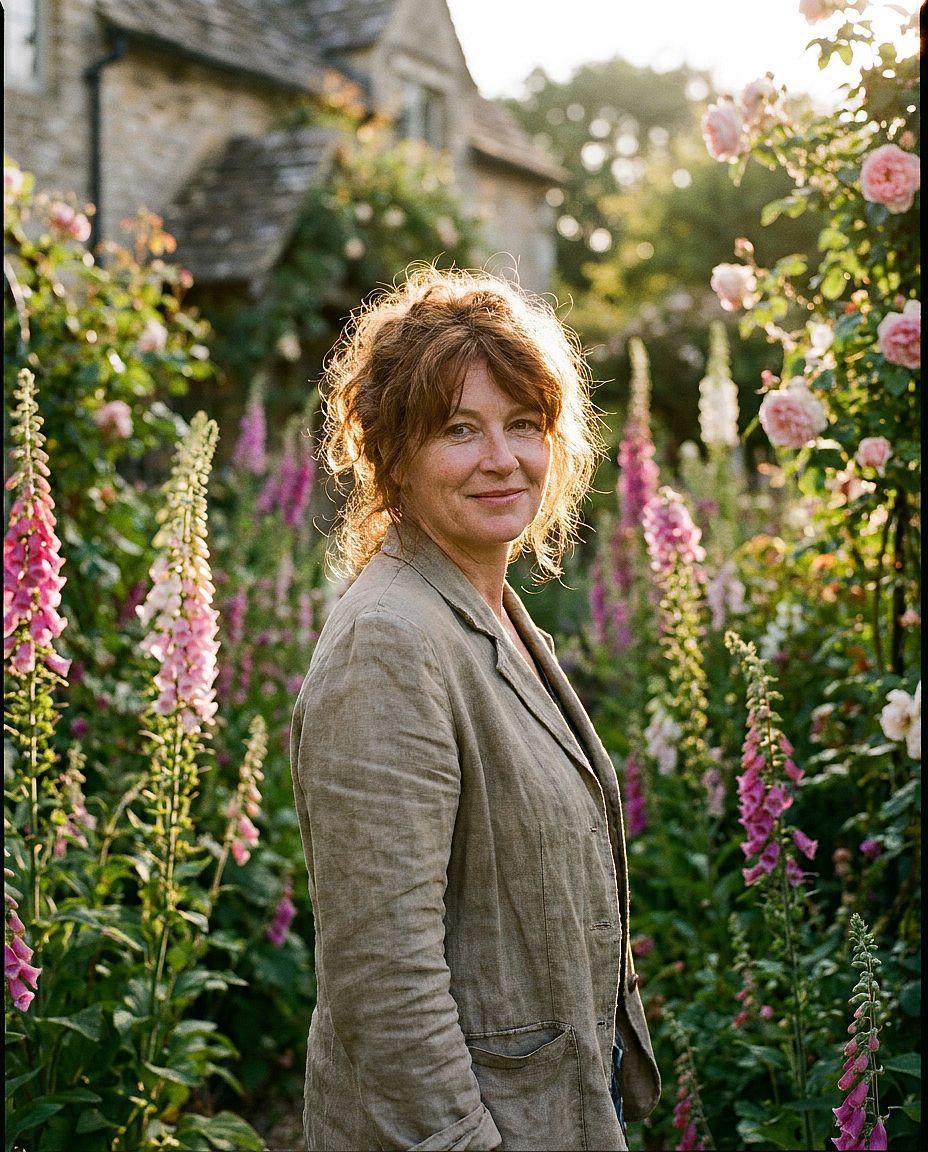
1. Golden Hour Portrait
Prompt: Portrait of a woman with auburn hair, mid-30s, soft natural smile, standing in an English cottage garden with foxgloves in bloom, golden hour rim lighting, shallow depth of field, shot on Hasselblad 80mm, photorealistic editorial style, 35mm film grain
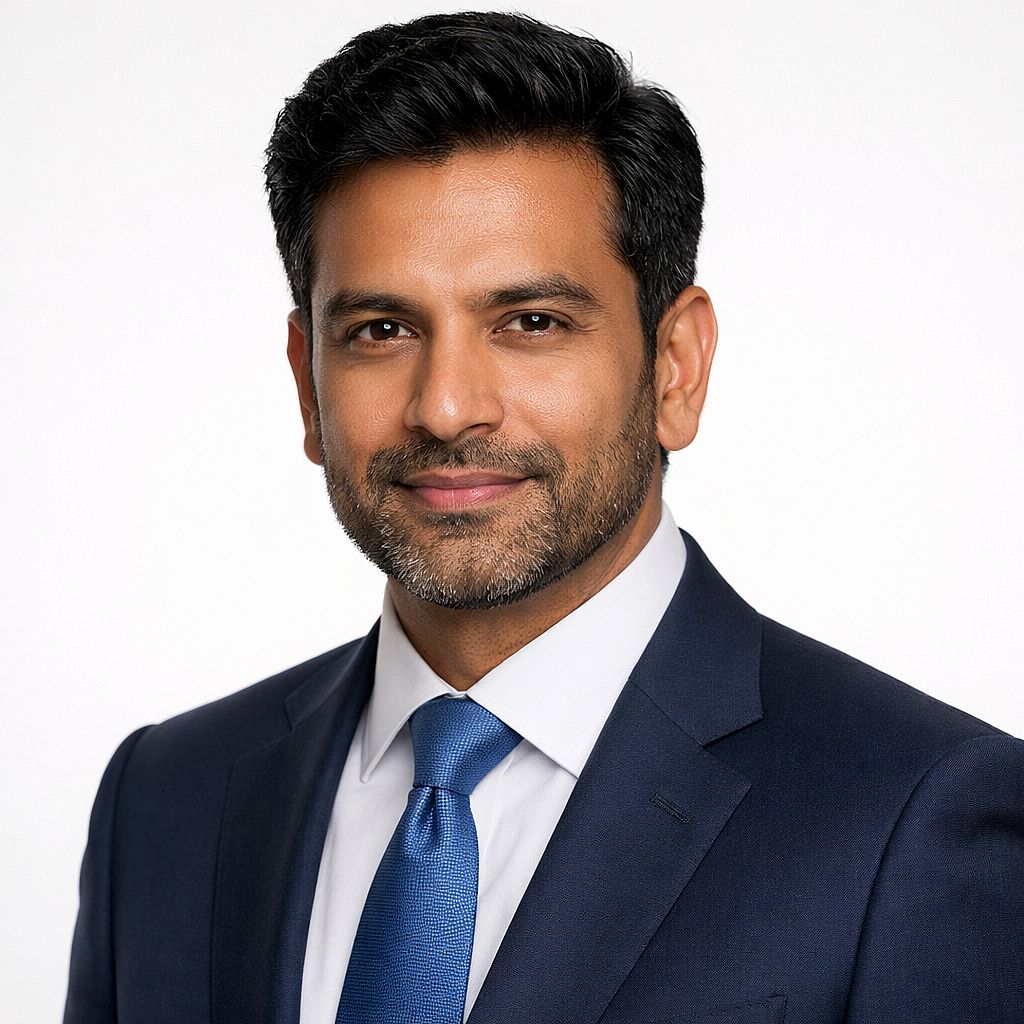
2. Corporate Headshot
Prompt: Professional headshot of a South Asian man, early 40s, navy suit, clean white studio background, soft Rembrandt lighting with subtle catchlights, sharp focus, slight confident smile, high-end commercial photography, no props
For your own headshot: Upload a clear reference photo and describe the clothing, background, and lighting you want to change. The AI headshot generator provides a starting point for this workflow. Check that the result still resembles you.
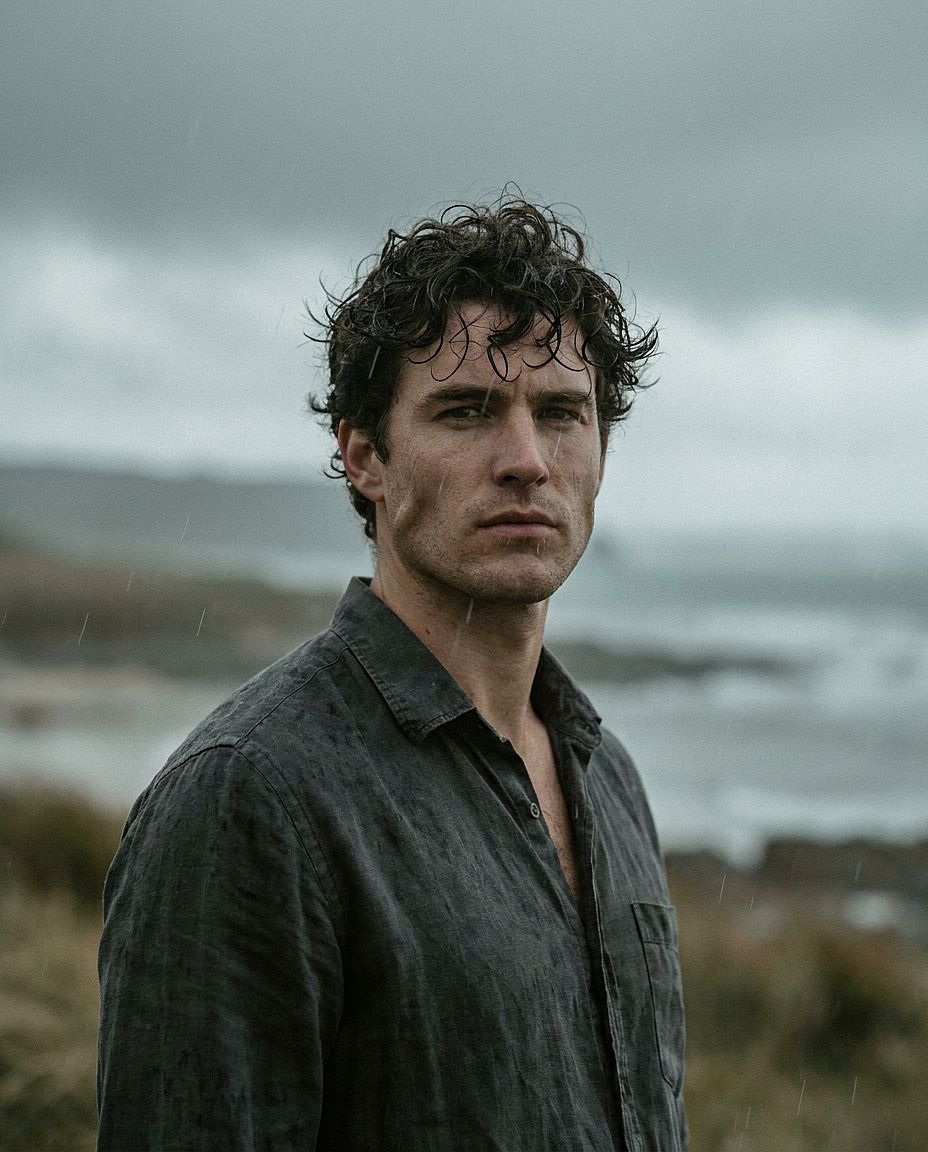
3. Dramatic Male Portrait
Prompt: Close-up portrait of a man in his late 20s, strong jawline, dark curly hair, wearing a linen shirt, moody overcast outdoor light, 85mm lens compression, authentic film grain texture, cinematic color grade with slightly desaturated highlights
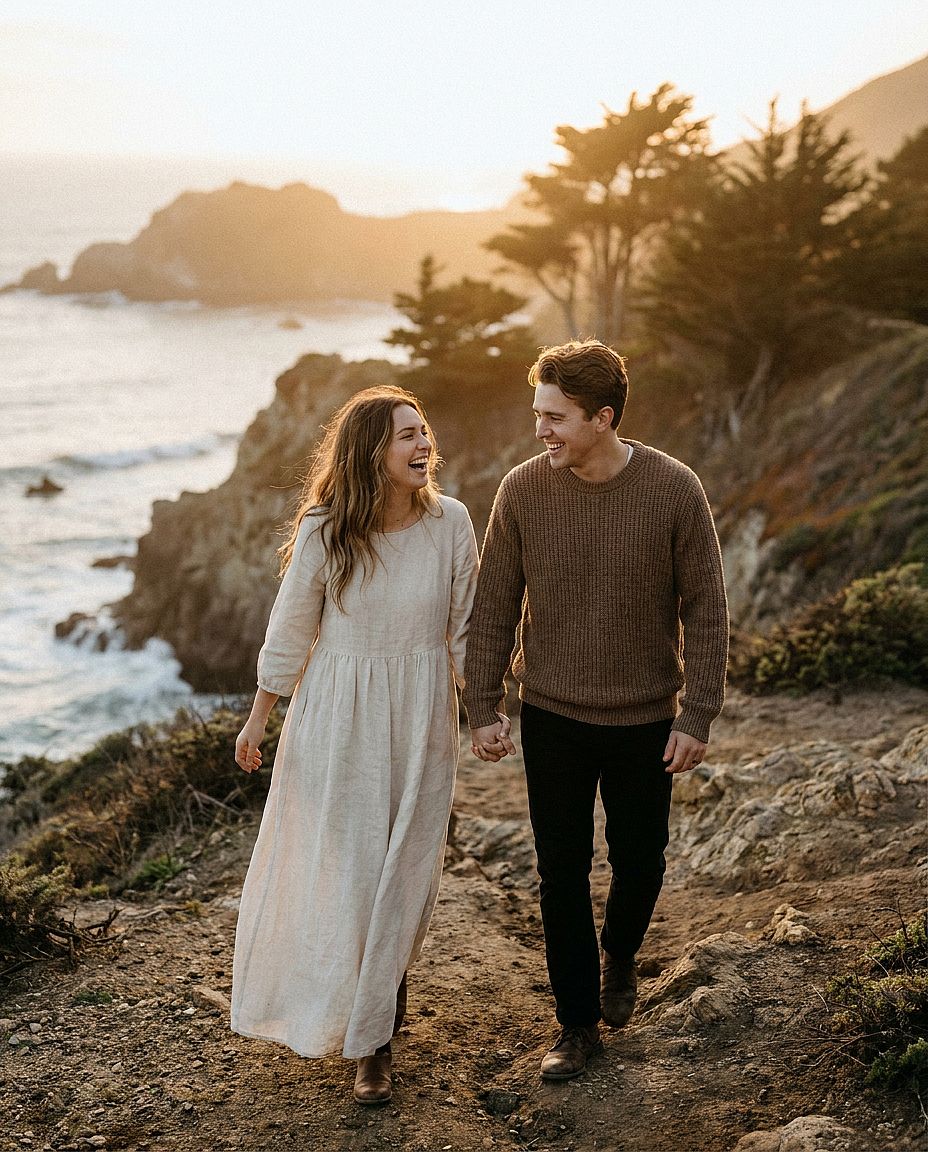
4. Couple Photo
Prompt: Cinematic couple portrait of a young couple in their late 20s walking along a windswept Pacific coast cliff path at golden hour, woman in flowing cream linen dress, man in earth-tone knit sweater, holding hands and laughing, soft warm sunset light, shallow depth of field, shot on Sony A7IV 85mm f/1.8, photorealistic editorial wedding photography, natural skin tones, 35mm film grain
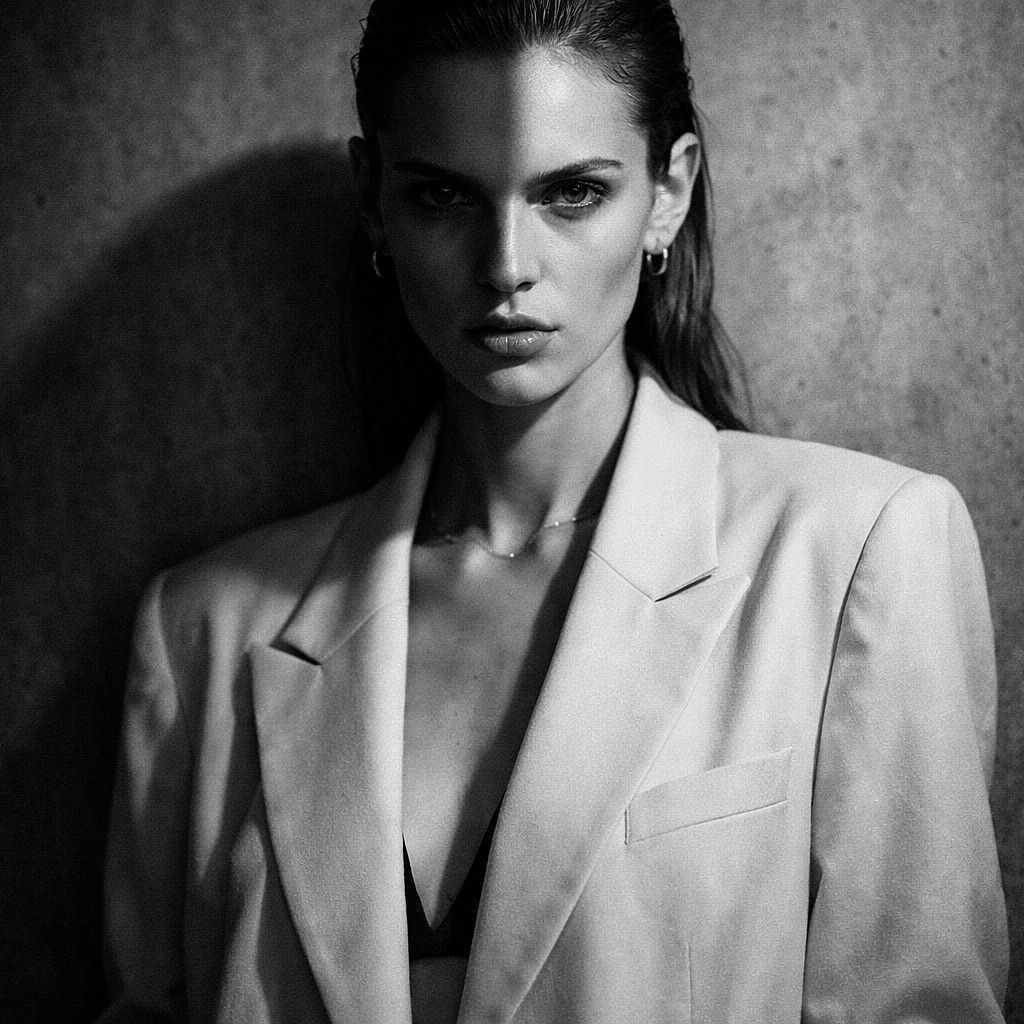
5. Studio Fashion Portrait
Prompt: Fashion editorial portrait of a model with sharp cheekbones, wearing an oversized cream blazer, minimal jewelry, grey textured concrete backdrop, dramatic split lighting, high contrast black and white conversion, Vogue editorial aesthetic, 50mm
2. Landscape & Nature AI Image Prompts
Landscape prompts become easier to control when you define a foreground, a main focal point, and a background. Describe how the weather and time of day affect the scene.
Reusable template: [LANDSCAPE] at [TIME OF DAY], with [FOREGROUND DETAIL], [MAIN FOCAL POINT], and [BACKGROUND], under [WEATHER CONDITIONS], [LIGHTING], [COMPOSITION], [VISUAL STYLE].
Changing sunrise to overcast midday gives the same landscape a different mood. Keep the foreground and camera position fixed if you want to compare the lighting.
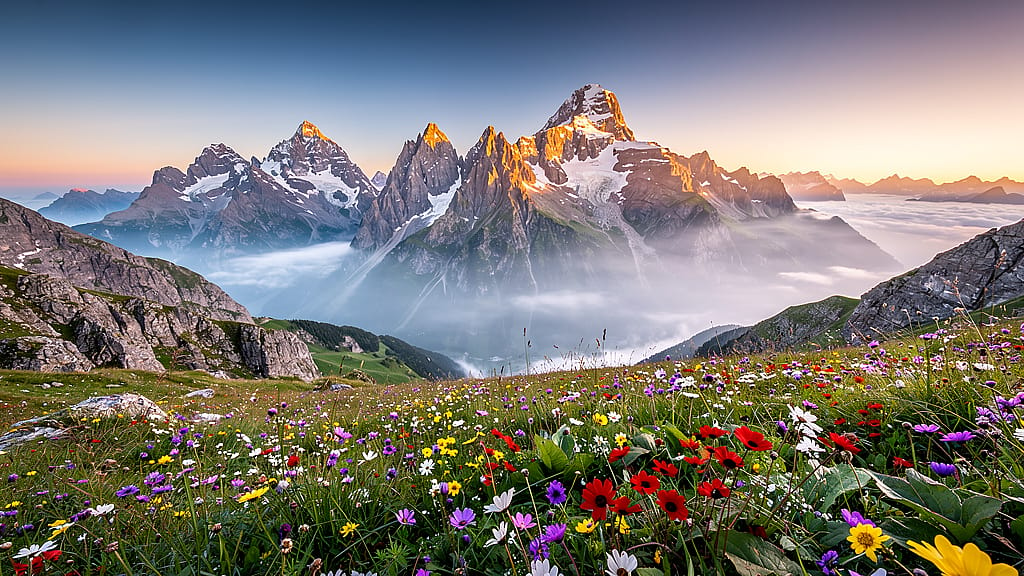
6. Alpine Sunrise
Prompt: Panoramic view of jagged alpine peaks at sunrise, wildflowers in bloom in the foreground, layers of mist filling the valleys below, warm golden light painting the summit, ultra-wide composition, photorealistic landscape photography, hyper-detailed, no people
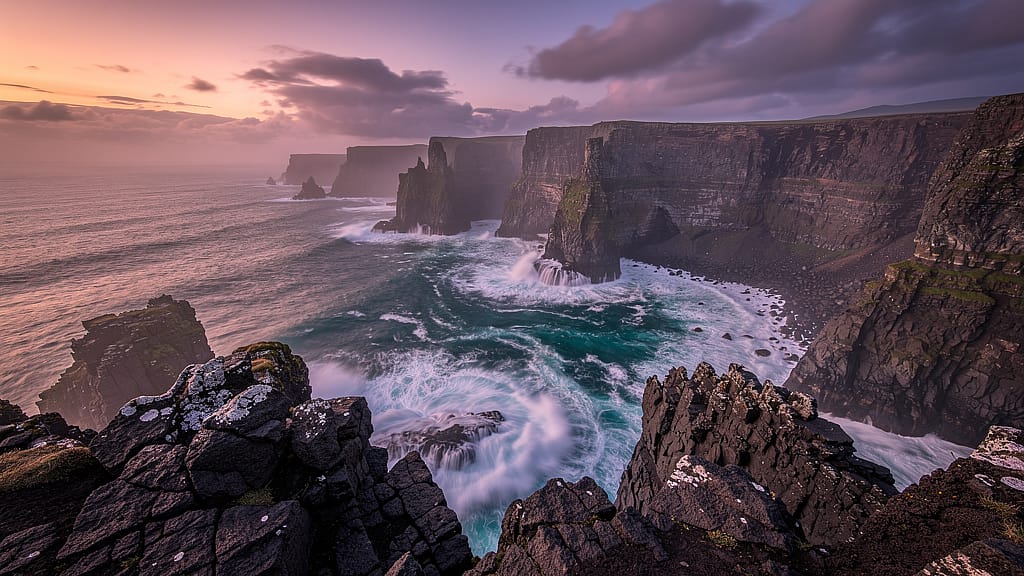
7. Coastal Cliffs at Dusk
Prompt: Dramatic sea cliffs at dusk, turquoise water crashing against dark volcanic rock below, soft magenta and orange sky, long-exposure smooth water effect, HDR landscape photography, sharp foreground rock texture, cinematic 2.39:1 aspect ratio
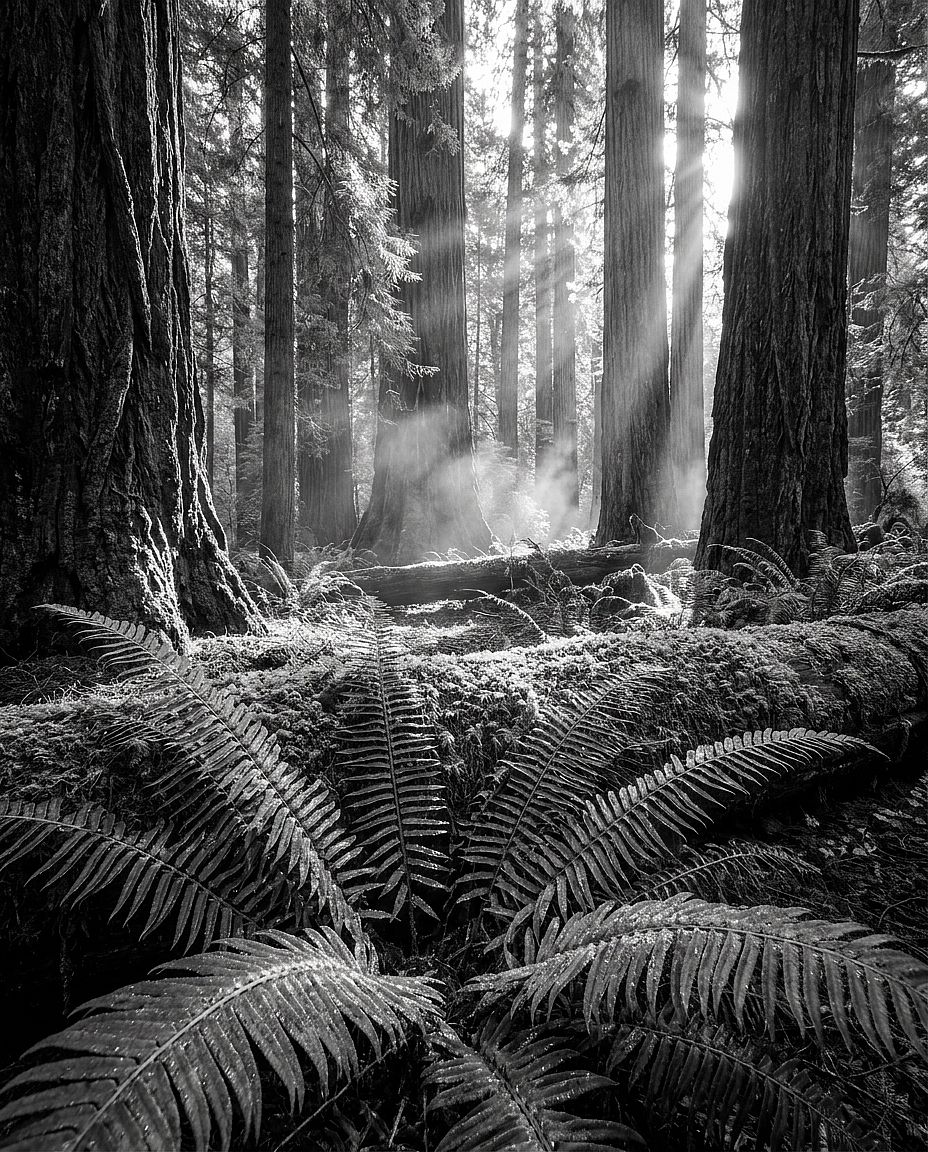
8. Ancient Redwood Forest
Prompt: Ancient redwood forest interior, shafts of golden light filtering down through towering canopy, soft green moss covering the ground, gentle mist at eye level, looking upward low-angle composition, sharp foreground ferns, Ansel Adams-quality landscape photography
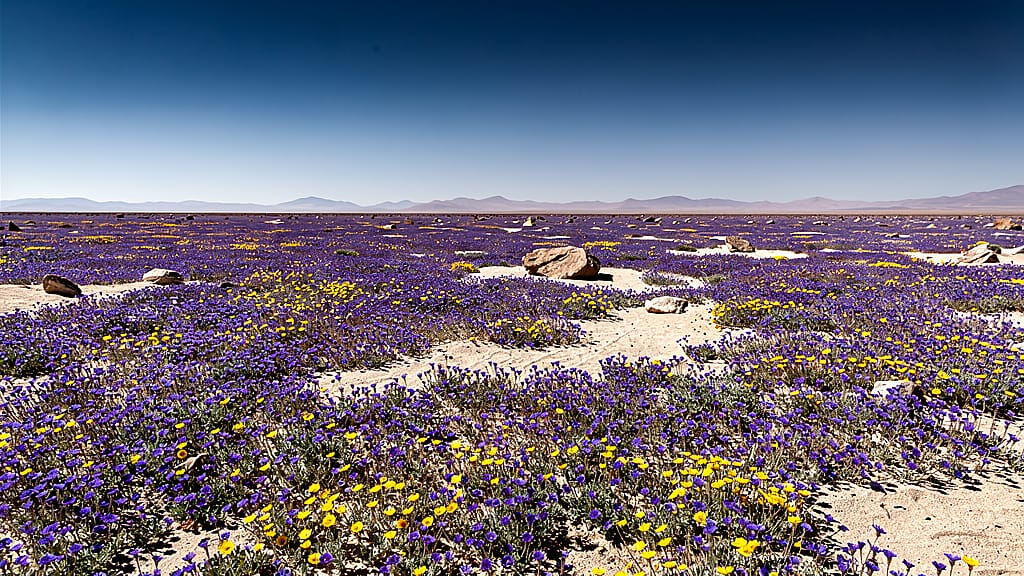
9. Desert Wildflower Bloom
Prompt: Atacama Desert in rare bloom season, endless carpet of purple and yellow wildflowers to the horizon, clear blue sky, midday sun casting sharp clean shadows, National Geographic photography style, wide flat perspective, ultra-sharp across the frame
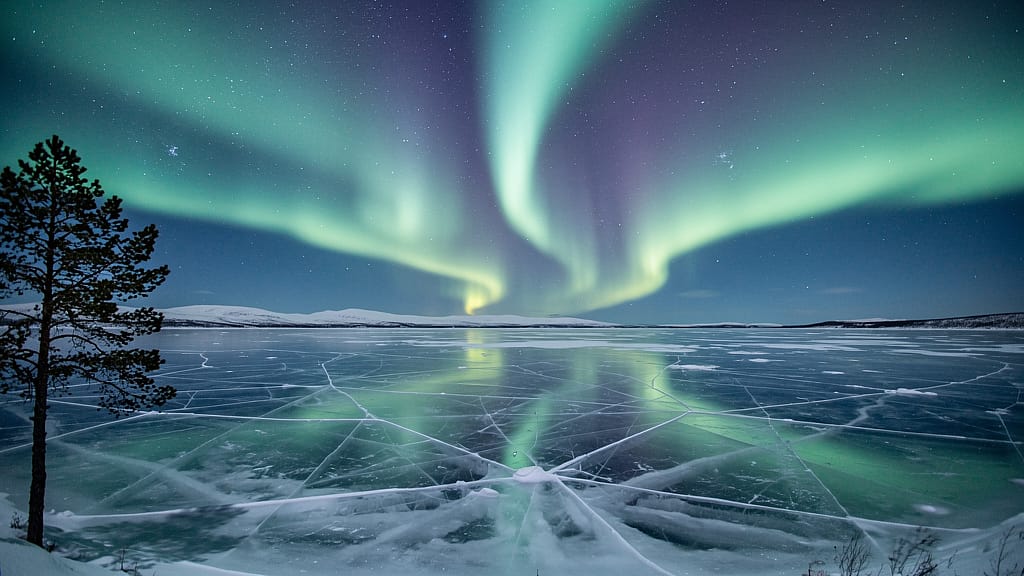
10. Aurora Borealis Reflection
Prompt: Aurora borealis over a frozen lake in Norwegian Lapland, emerald and violet ribbons of light perfectly reflected in the glassy ice surface, silhouette of a single pine tree at the left edge, long exposure, full starfield visible, ultra-sharp detail
3. Product & Mockup AI Image Prompts
Product prompts need clear object placement, controlled lighting, and specific material descriptions. The examples below are starting points for product concepts; text alone will not reliably reproduce an existing item.
Reusable template: Product photograph of [PRODUCT] on [SURFACE], with [BACKGROUND], lit by [LIGHTING], viewed from [CAMERA ANGLE], with [COMPOSITION], in a [VISUAL STYLE] aesthetic.
For a real product, begin with a reference photo and build the setting around it. Compare the packaging, label, colors, and proportions with the original before using the result. The AI product photography guide walks through this process.
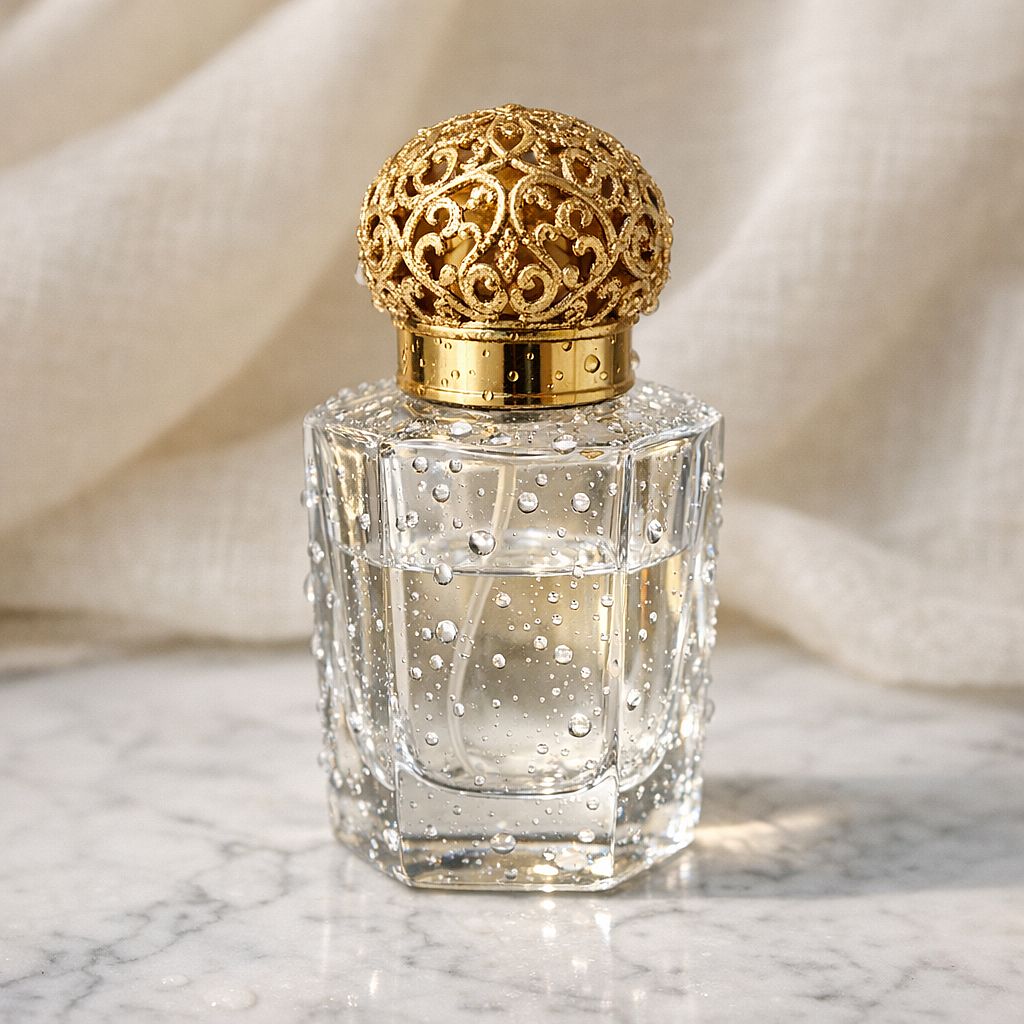
11. Luxury Perfume Bottle
Prompt: Luxury glass perfume bottle with a gold filigree cap, positioned on white Carrara marble, soft product studio lighting with a single subtle shadow, water droplets on the bottle surface, blurred cream linen fabric in the background, commercial product photography, 85mm macro
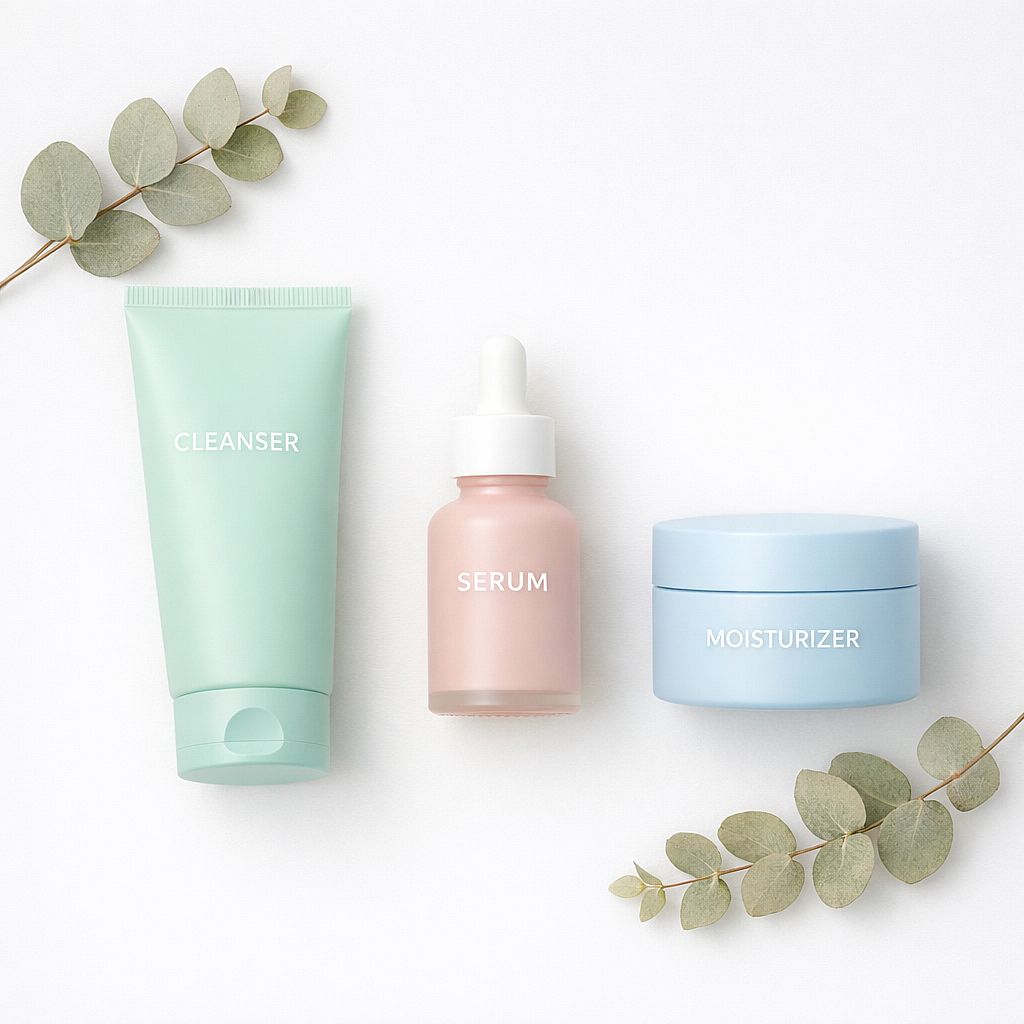
12. Skincare Flat Lay
Prompt: Minimal skincare flat lay — cleanser, serum, and moisturizer in matte pastel packaging, arranged on a clean white surface with sprigs of dried eucalyptus, soft overhead diffused light, no harsh shadows, e-commerce product photography, ultra-sharp across all items
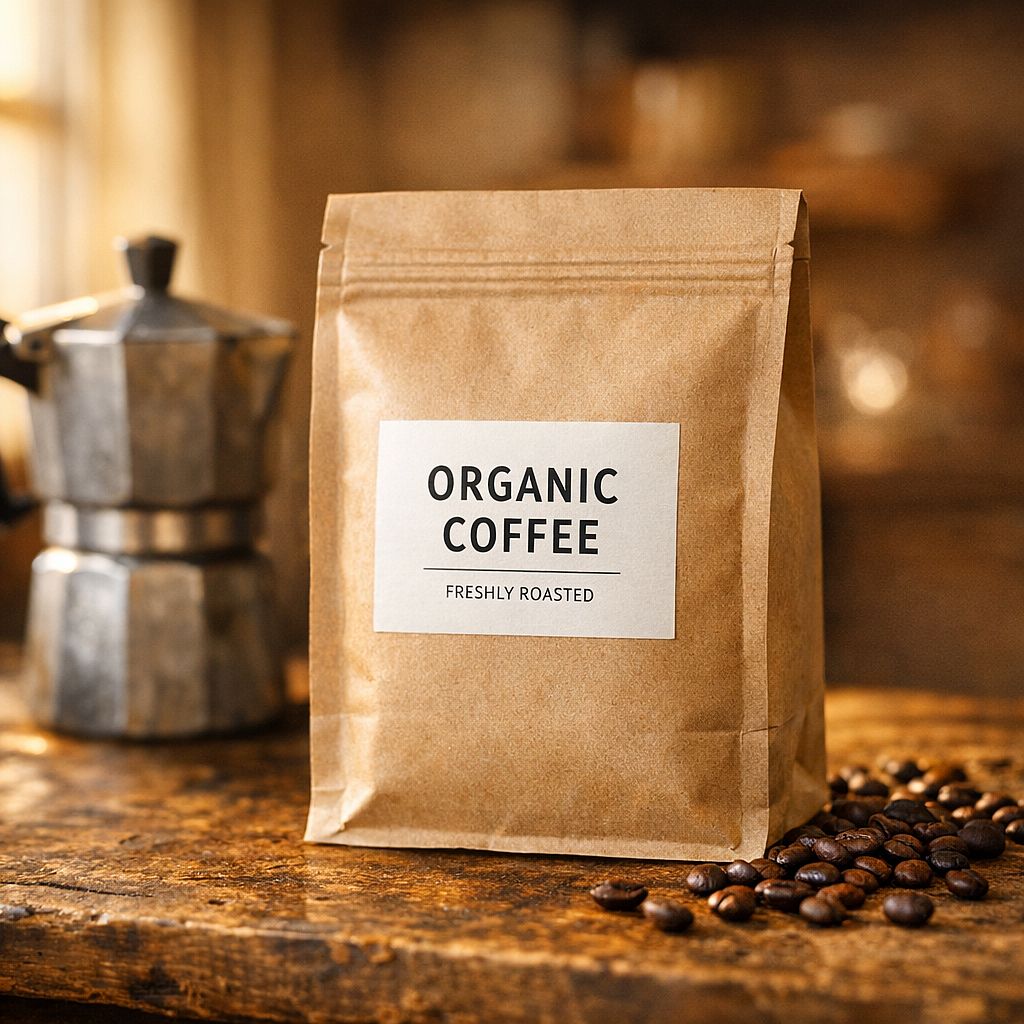
13. Coffee Bag Mockup
Prompt: Kraft paper coffee bag with a minimal label, placed on a worn wooden counter beside a moka pot and scattered whole coffee beans, warm morning light streaming from a side window, selective focus on the label, blurred warm background, artisan food and beverage photography
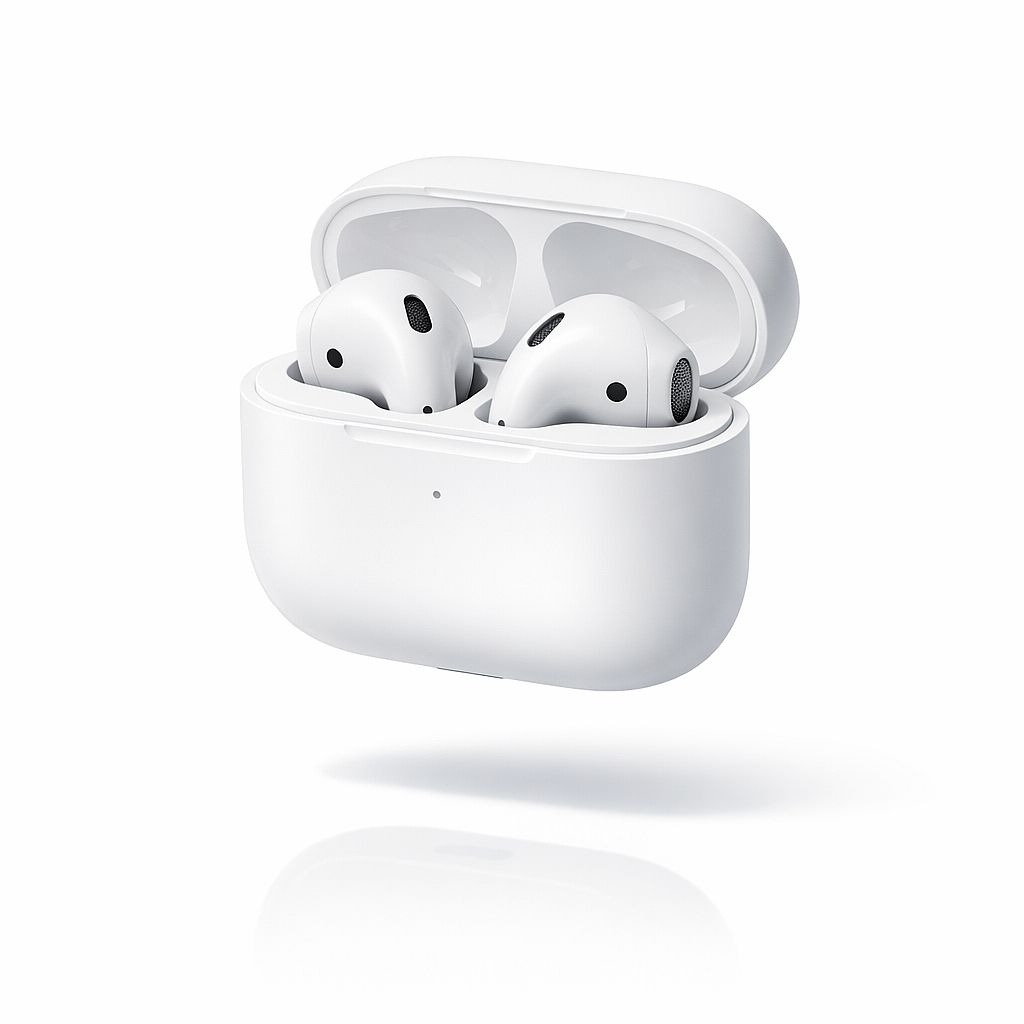
14. Wireless Earbuds
Prompt: Sleek wireless earbuds in their charging case, matte white finish, floating in mid-air above a white reflective surface, pure white studio background, subtle cast shadow below, sharp detail on the earbuds' mesh grille, electronics commercial photography, Apple catalog aesthetic
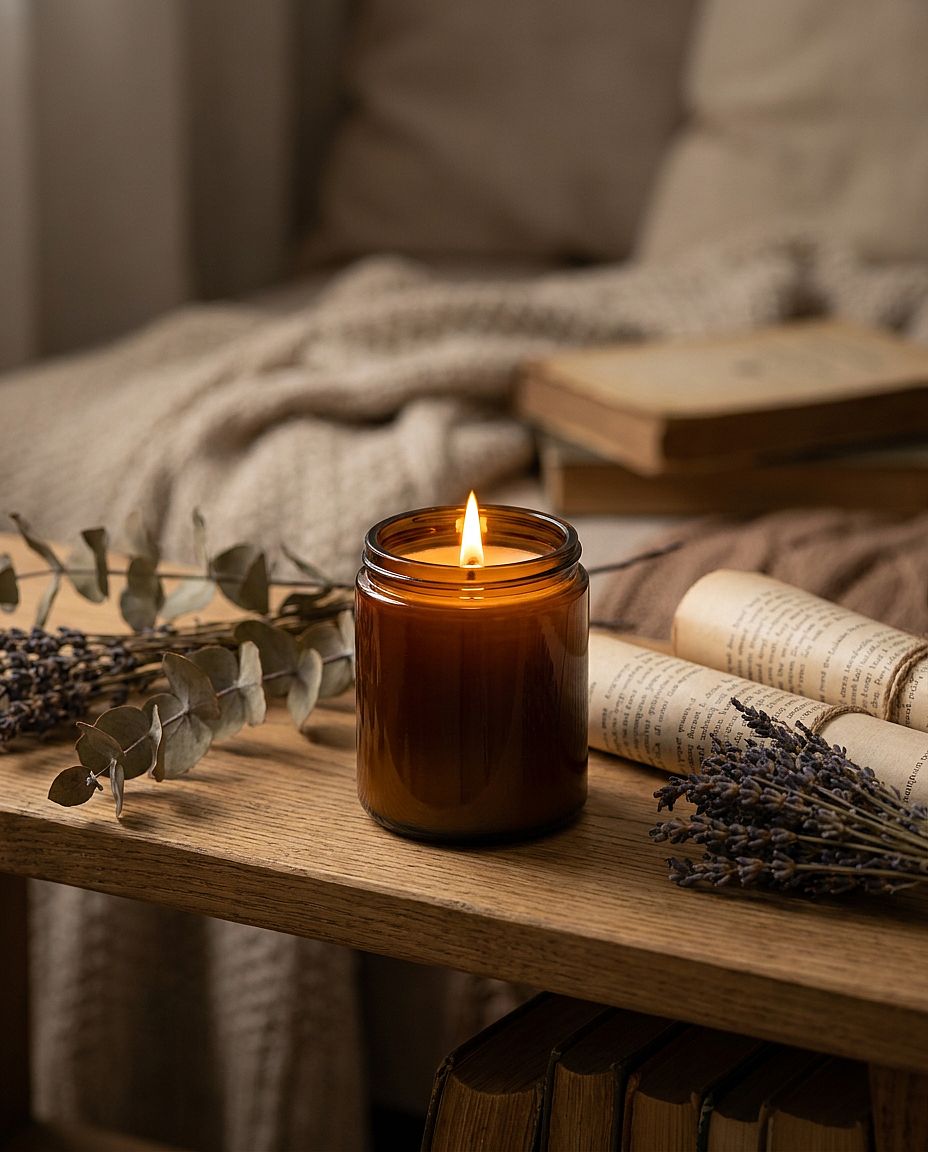
15. Candle Lifestyle Shot
Prompt: Soy wax candle in an amber glass jar with a lit flame, placed on a rustic oak shelf with dried botanicals and small books, warm golden candlelight as the primary light source, shallow depth of field blurring the background shelf, cozy lifestyle product photography
4. Logo & Brand Visuals AI Image Prompts
The AI logo generator is a useful place to explore symbols, shapes, and palettes. "Vector style" gives the image a graphic look; editable SVG output depends on the model and export options. Vectorize or redraw a raster concept when you need editable paths.
Reusable template: Logo concept for [BRAND TYPE], featuring [SYMBOL], using [COLORS], with [LINE OR SHAPE STYLE], arranged as [LAYOUT], on [BACKGROUND].
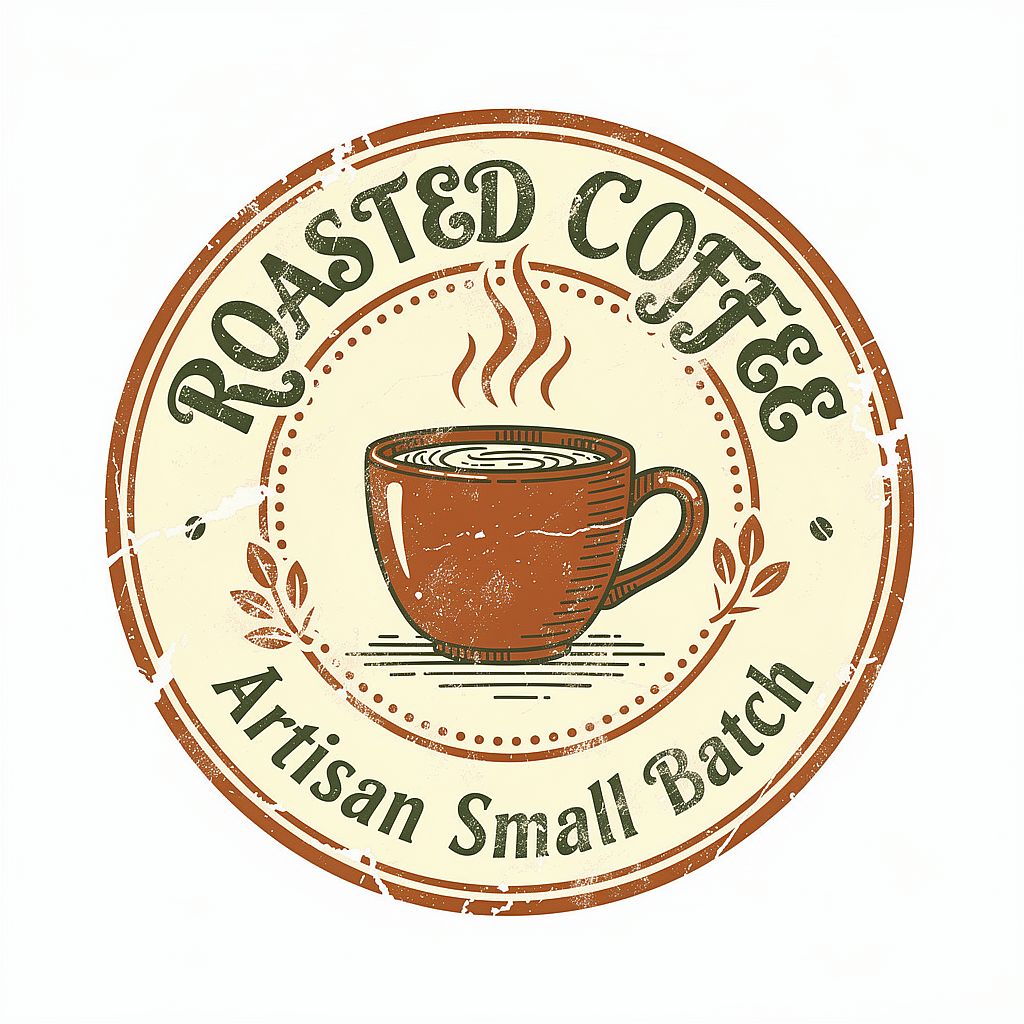
For the coffee badge below, you could add: "The words 'CEDAR COFFEE' follow the upper curve of the badge in bold serif lettering." Providing the actual name gives you a more useful concept to review.
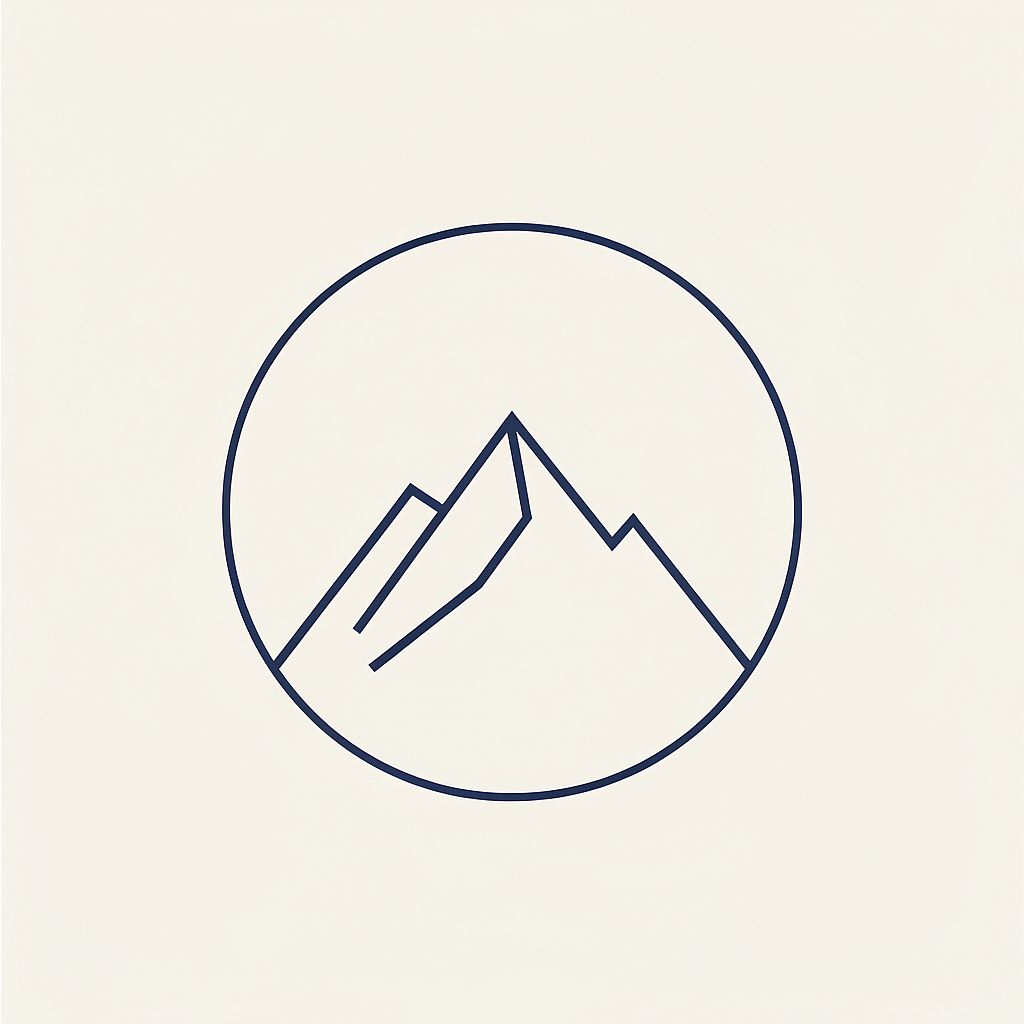
16. Minimalist Logo Mark
Prompt: Minimalist geometric logo mark, a stylized mountain peak inside a perfect circle, single consistent line weight, navy blue on cream white background, vector illustration style, abundant negative space, modern brand identity design, no gradients, no shadows
17. Artisan Coffee Badge
Prompt: Hand-lettered coffee brand badge logo, illustrated steaming mug in the center, warm earthy color palette of terracotta and forest green, rough ink stamp texture, circular badge format, artisan small business aesthetic, isolated on white background
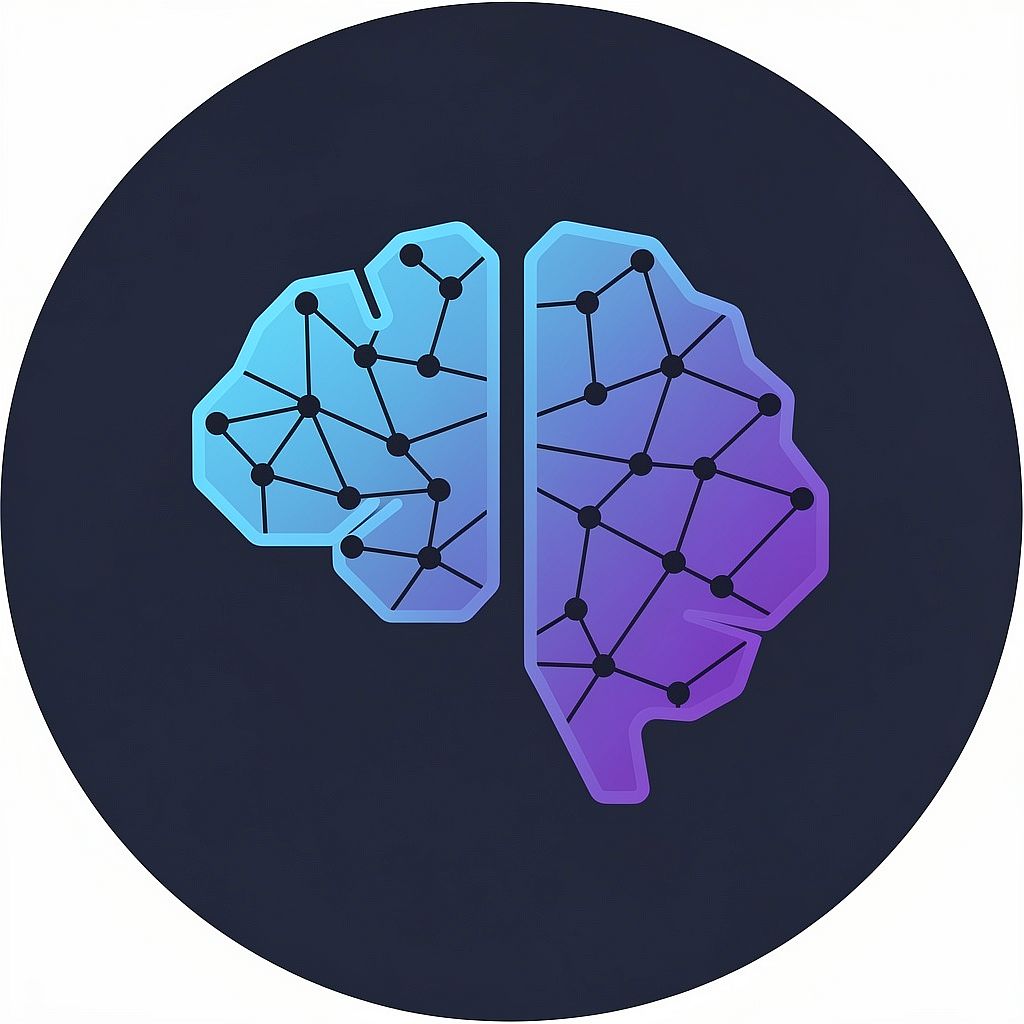
18. Tech Startup Icon
Prompt: Abstract AI technology logo icon, interconnected dots and nodes forming a subtle brain silhouette, gradient from electric blue to deep violet, dark navy background, modern SaaS brand icon style, scalable mark, clean edges, 2026 design aesthetic
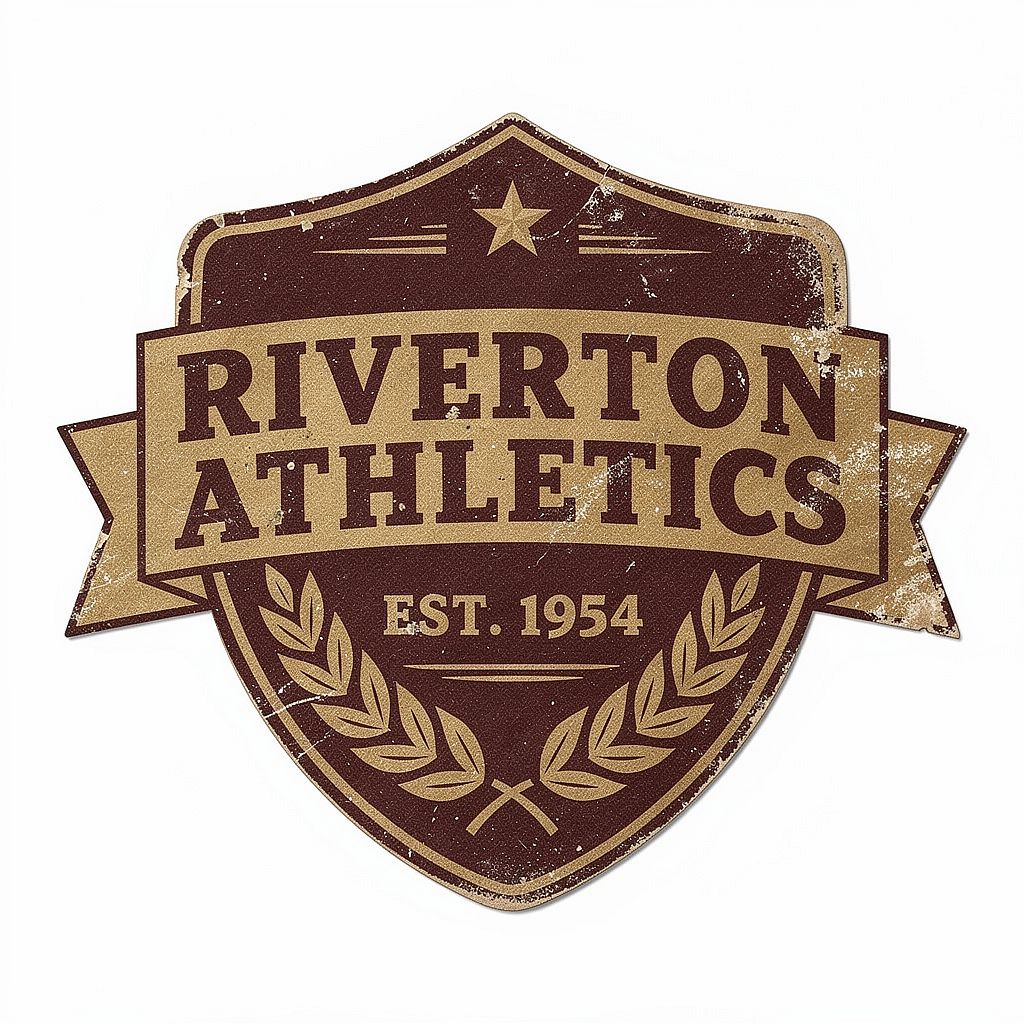
19. Retro Sports Badge
Prompt: Vintage sports team badge logo, distressed weathered texture, bold condensed serif typography, two-color design in deep burgundy and matte gold, shield shape with laurel wreath detail, 1950s American sporting goods aesthetic, flat lay on white
20. Nature Brand Mascot
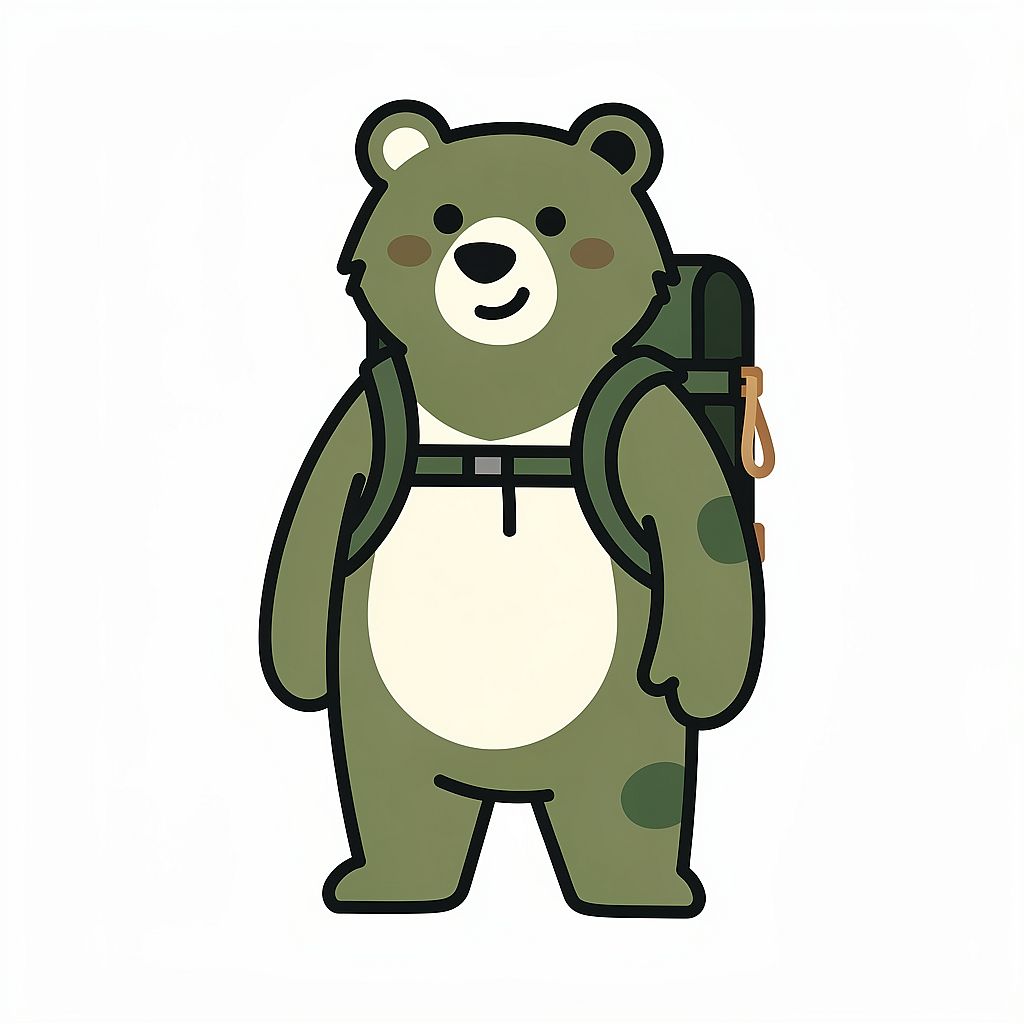
Prompt: Friendly illustrated bear mascot character for an outdoor brand, wearing a small hiking backpack, simplified geometric illustration style, warm forest green and off-white color palette, clean white background, brand character for logo use, slightly rounded forms, no gradients
5. Anime & Manga AI Image Prompts
Anime prompts work best when you specify line quality, shading, proportions, expression, and pose. Try these examples in the AI anime generator, then refine the visual details that matter to your character or scene.
Reusable template: Anime illustration of [CHARACTER], with [APPEARANCE], wearing [OUTFIT], in [POSE], showing [EXPRESSION], with [LINE ART AND SHADING], [COLOR PALETTE], and [BACKGROUND].
Keep a few distinctive details, such as the hairstyle, eye color, and costume, consistent when you change a character's pose. A reference image helps carry those details into the next scene.
21. Shonen Battle Hero
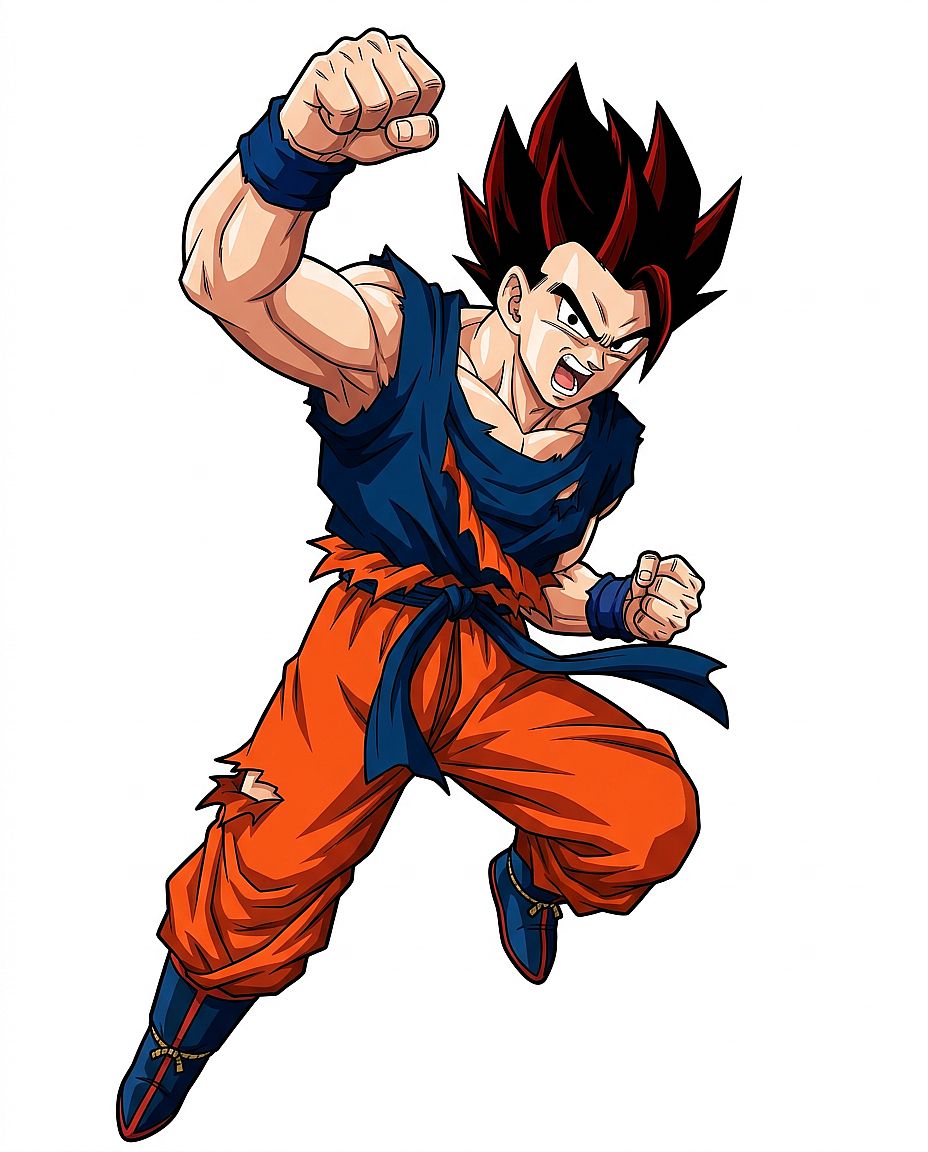
Prompt: Full-body character illustration of a teenage male shonen hero, spiky black hair with red highlights, torn battle training gi, dynamic action pose with one fist raised, determined expression, classic cel-shaded anime style, bold clean line art, white background, no background scene
22. Ghibli-Style Countryside
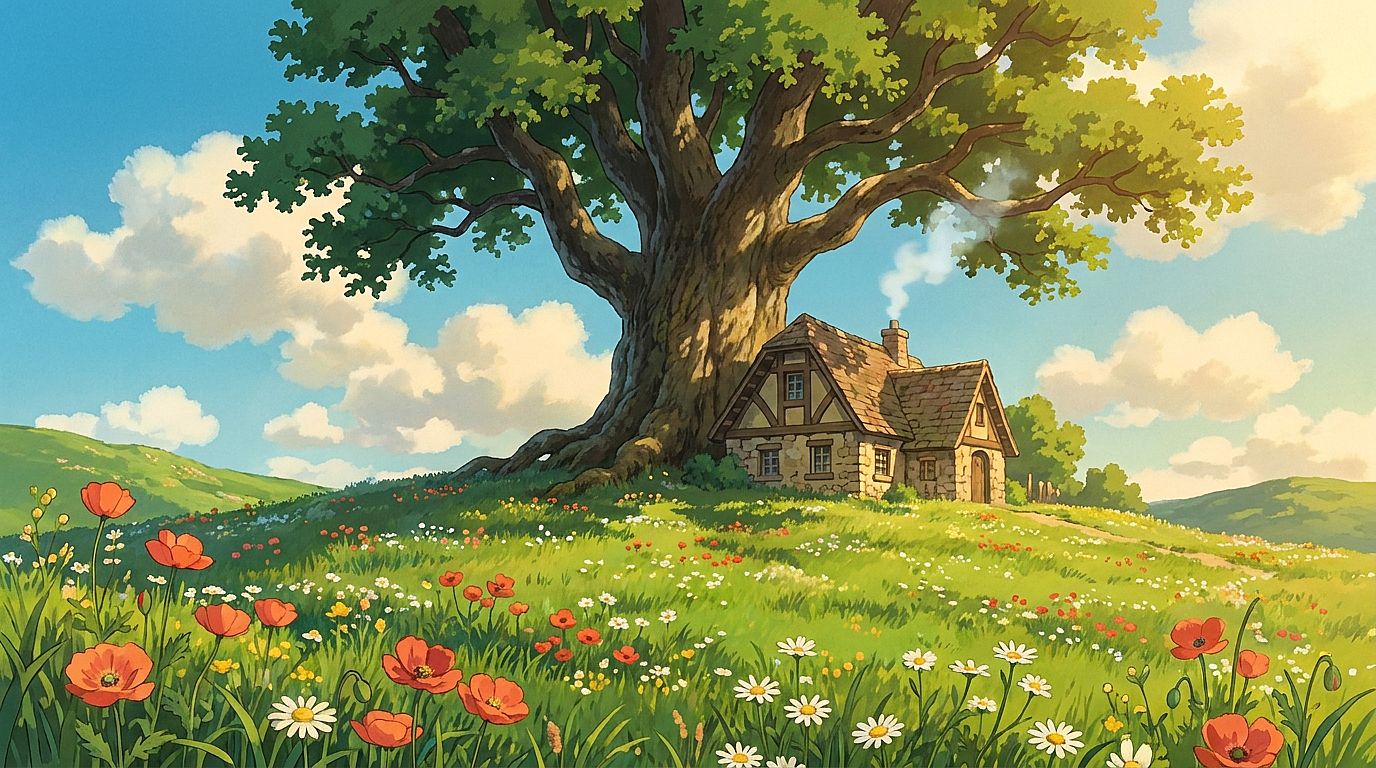
Prompt: Pastoral countryside in Studio Ghibli animation style, rolling green hills dotted with wildflowers, a small stone cottage with smoke rising from the chimney, a massive ancient oak tree center-frame, clear summer sky with large fluffy clouds, hand-painted quality, warm afternoon light
23. Cyberpunk Anime Portrait
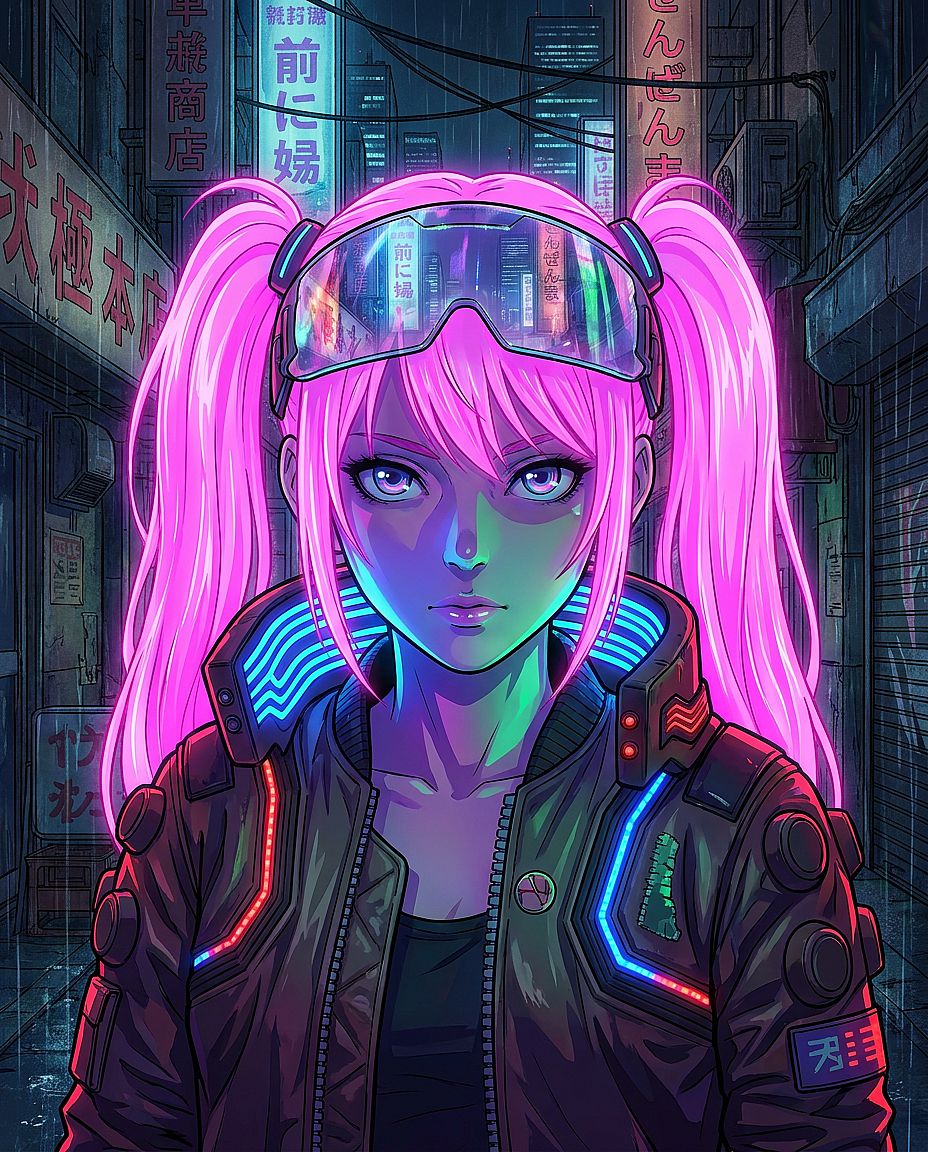
Prompt: Anime portrait of a young woman with neon pink twin-tail hair, visor reflecting a neon cityscape, cyberpunk jacket with LED strip accents, dramatic neon lighting from below creating colored shadows on her face, manga-style portrait composition, MAPPA studio production quality
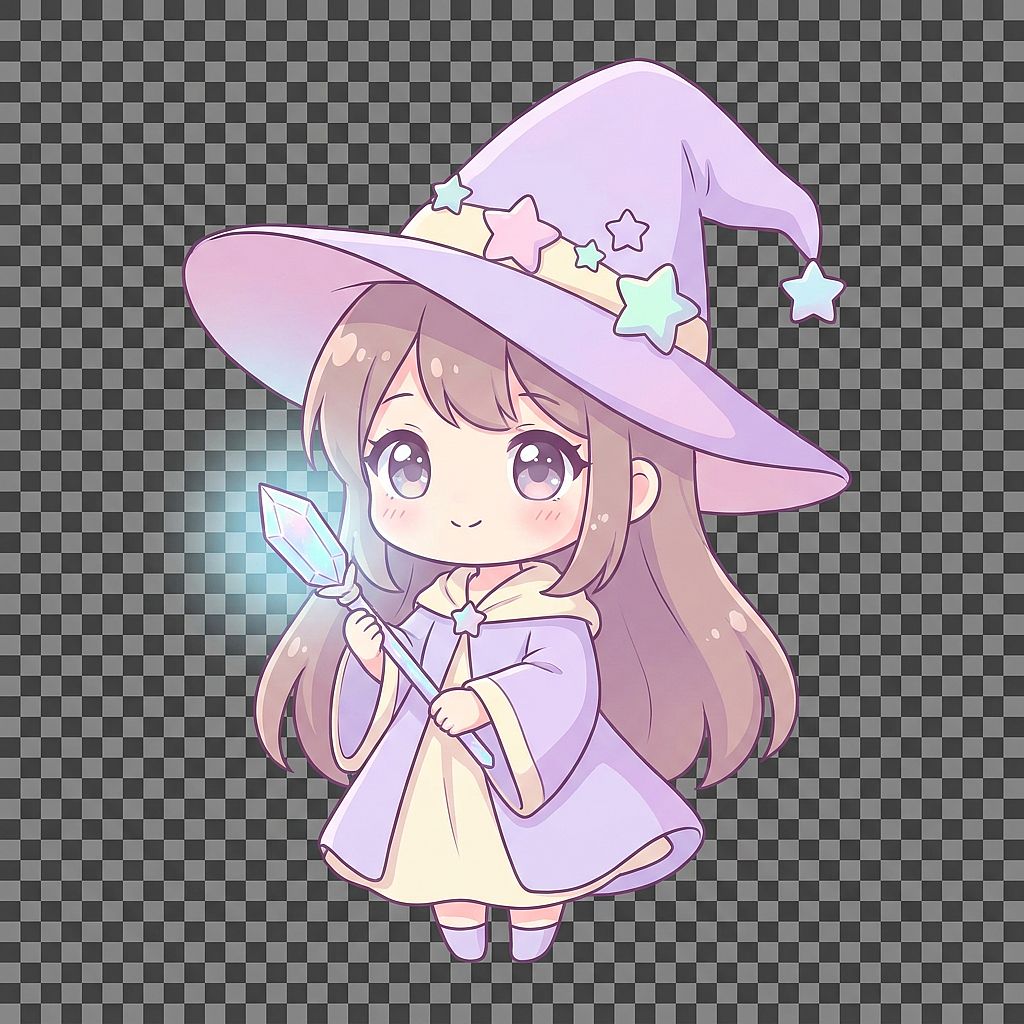
24. Chibi Mage Character
Prompt: Cute chibi-style female mage character, oversized pointy wizard hat with star decorations, very large expressive eyes, holding a glowing crystal wand, pastel lavender and cream color palette, rounded simple proportions, soft anime illustration style, transparent background
Export note: For a reusable character cutout, choose an output option that supports transparency and download a PNG with an alpha channel. Otherwise, remove the background after generation.
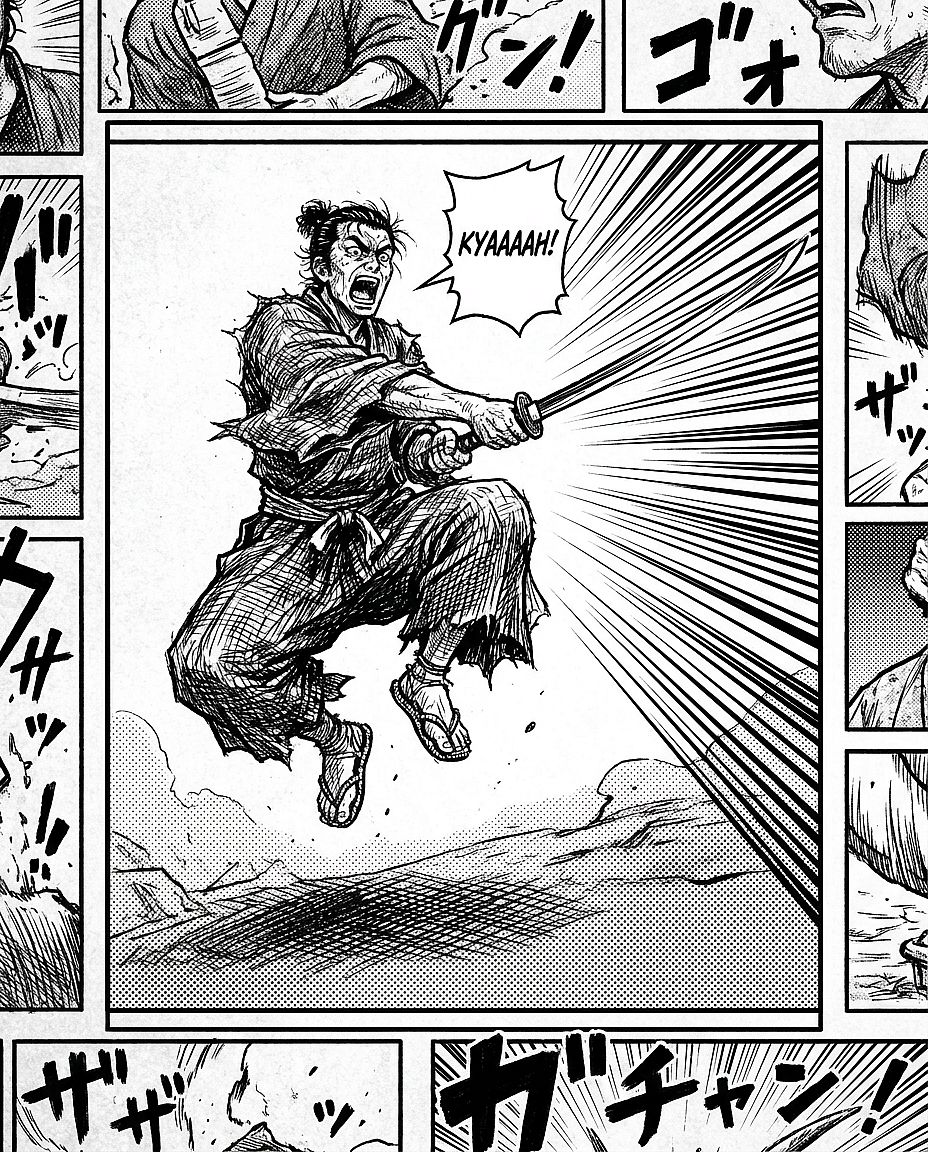
25. Classic Manga Panel
Prompt: Black and white manga panel, samurai in mid-strike battle pose with sword drawn, dramatic background speed lines converging on the blade, heavy hatching for shadow regions, screen tone texture on the ground, expressive contorted face showing battle kiai, Shonen Jump panel layout
6. Concept Art & Fantasy AI Image Prompts
Fantasy and concept art benefit from a clear focal point, a sense of scale, and a visual story. Use the AI art generator to explore these scenes, then refine the composition around the element you want viewers to notice first.
Reusable template: Concept art of [SUBJECT OR LOCATION], with [MAIN ACTION OR STORY DETAIL], [FOREGROUND], and [BACKGROUND], lit by [LIGHT SOURCE], using [COLOR PALETTE], [COMPOSITION], and [ART MEDIUM].
Decide where the image will be used before choosing the composition. A book cover needs space for a title; a wide scene can give more room to the surrounding landscape.
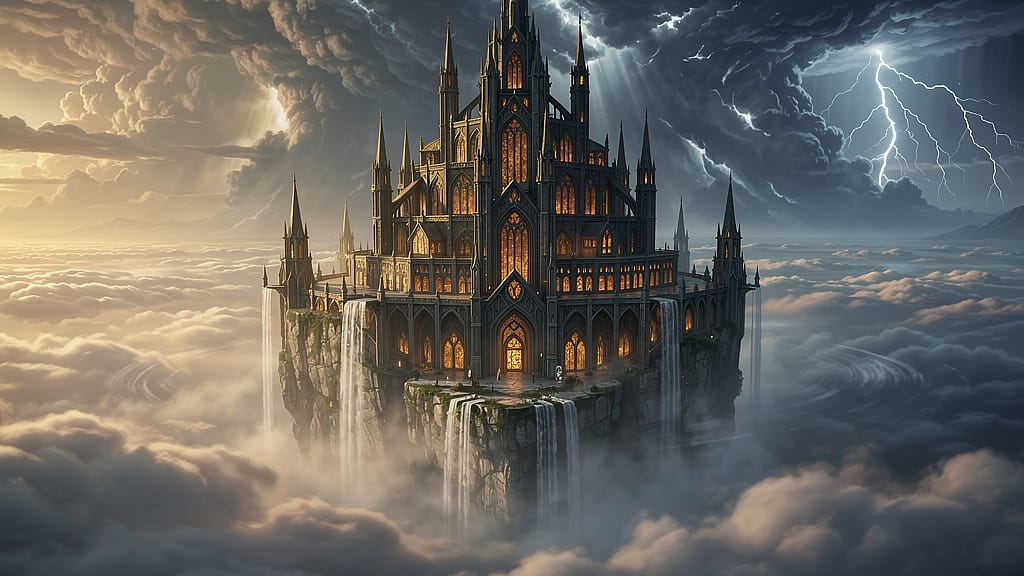
26. Floating Castle
Prompt: Cinematic concept art of a massive floating castle above a sea of clouds, waterfalls cascading off the edges into the void below, gothic spires with warm glowing windows, storm clouds building in the background with lightning flashes, wide-angle establishing shot, fantasy RPG book cover composition
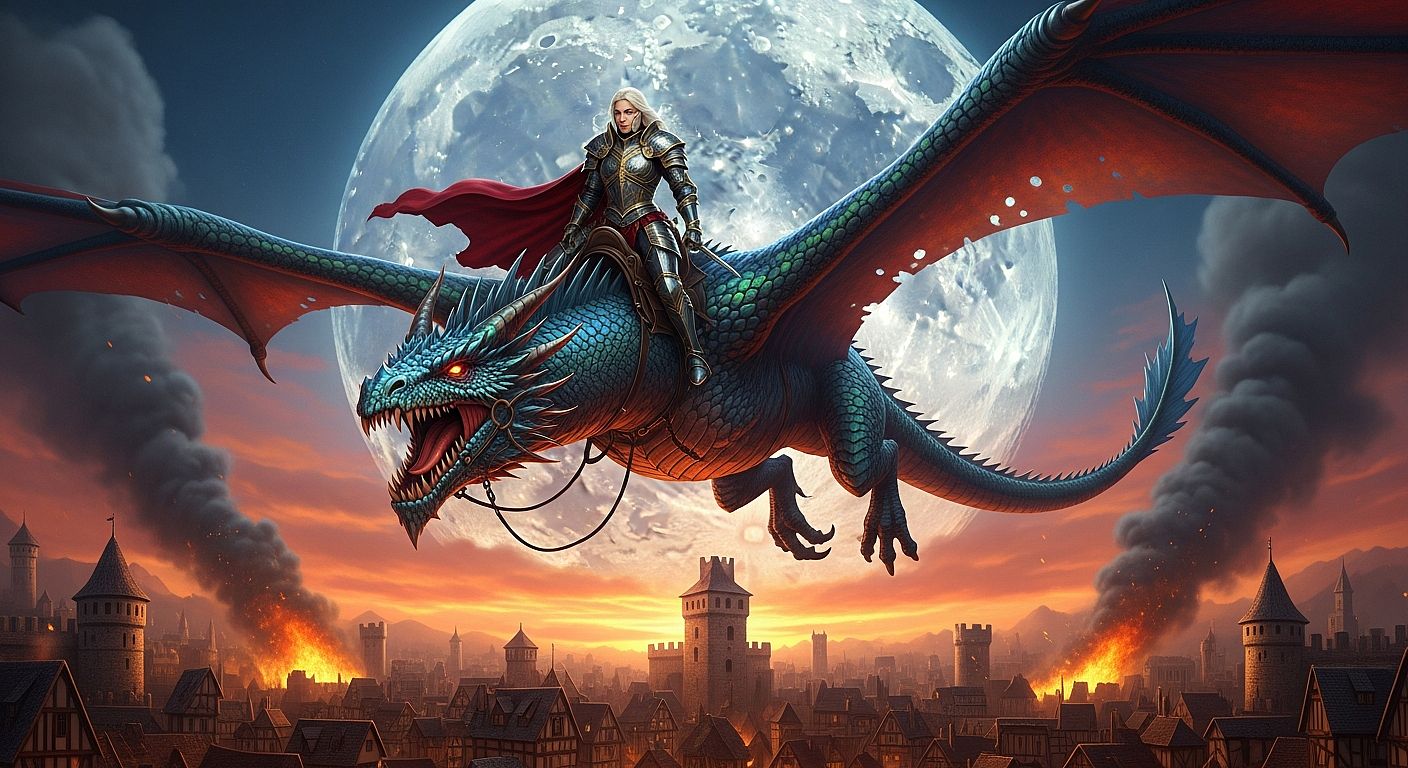
27. Dragon Rider
Prompt: Epic fantasy concept art of a female warrior in full plate armor riding a large iridescent dragon, high above a burning medieval city, backlit dramatically by a huge full moon, rich red and gold color palette, wide establishing shot, fantasy film key art quality, high detail
28. Alien Moon Landscape
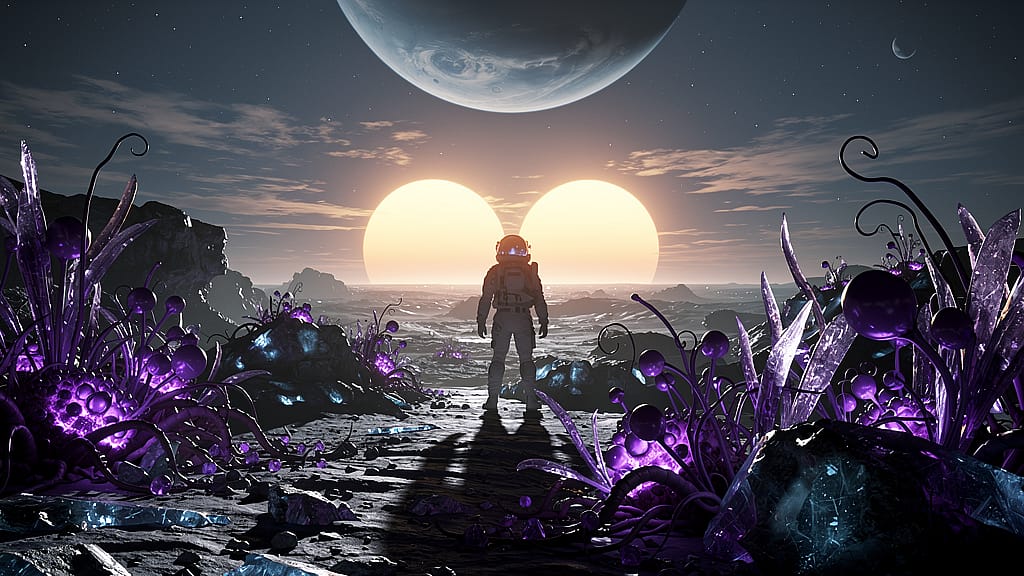
Prompt: Sci-fi concept art of an alien moon surface with two suns setting on the horizon casting double shadows, bioluminescent purple plant life in the foreground, silhouette of an astronaut in an EVA suit at center frame, cinematic ultra-wide 2.39:1 format, James Cameron-quality VFX concept art
29. Dungeon Chamber
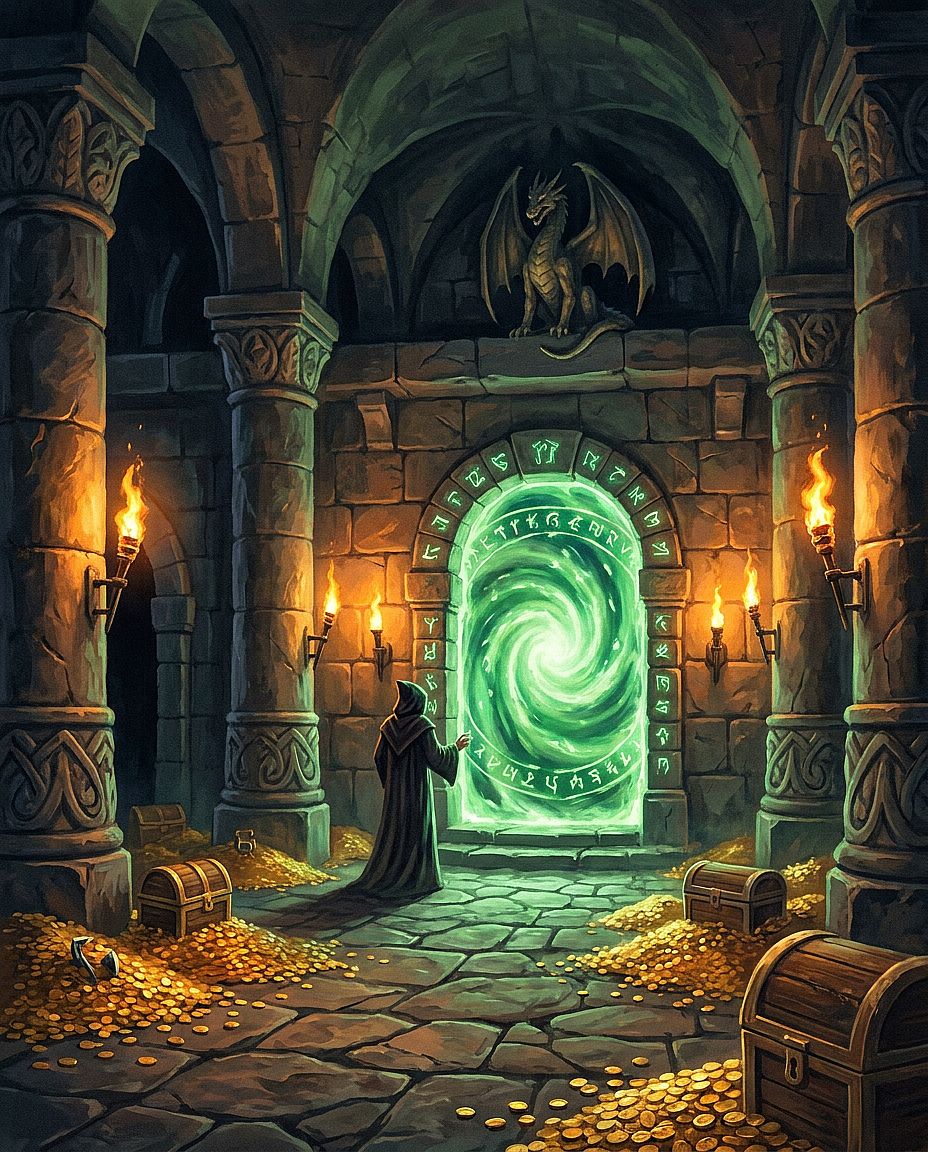
Prompt: Fantasy dungeon interior with massive stone columns, an ancient portal made of glowing green runes at the center, scattered gold coins and skeletal remains on the stone floor, dramatic low torch lighting from wall sconces, dungeon master guide cover art style, digital oil painting
30. Forest Spirit
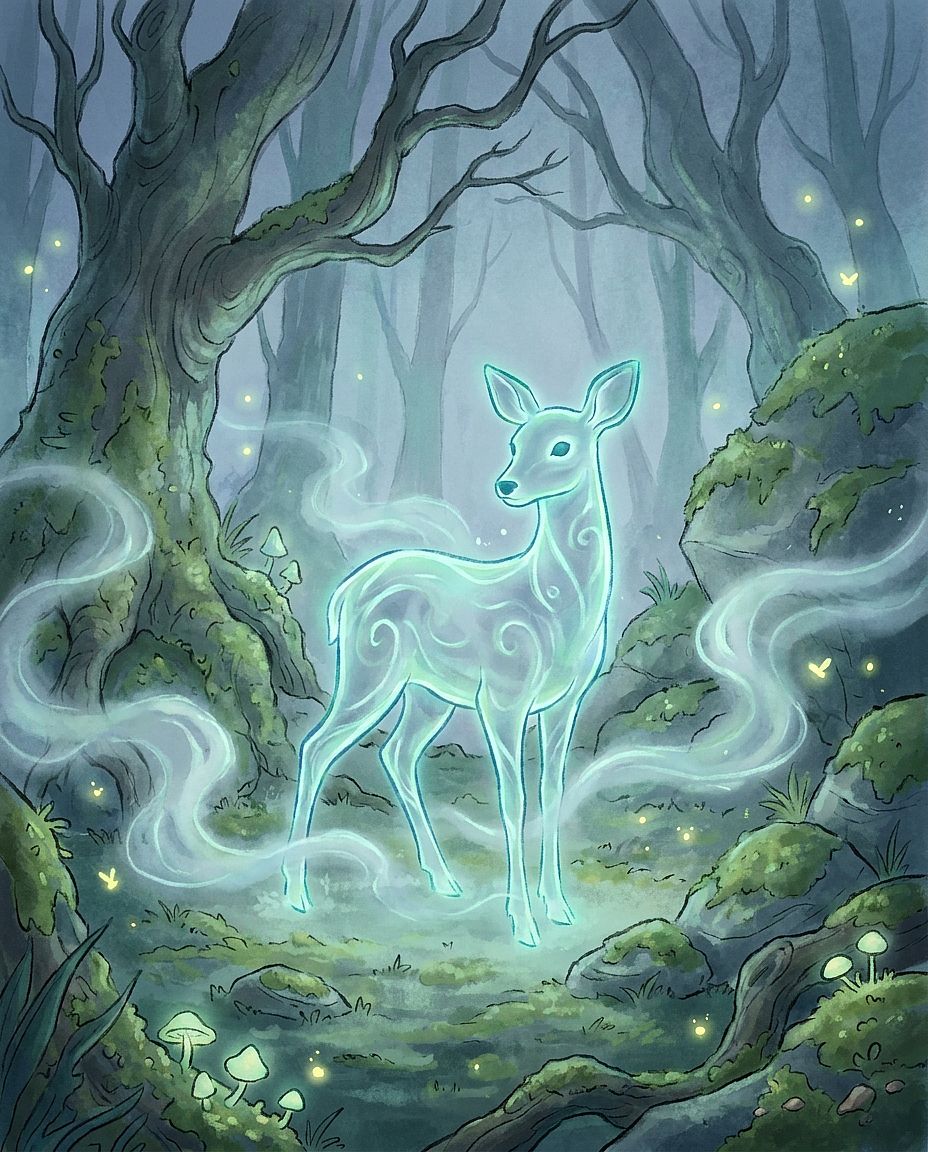
Prompt: Ethereal forest spirit, translucent bioluminescent form shaped like a deer-human hybrid, standing in a misty forest clearing at deep twilight, soft blue-green glow emanating from its outline, ground mist at knee level, concept art for an animated feature film, impressionistic detail
7. Architecture & Interior AI Image Prompts
Architectural prompts benefit from concrete material and layout descriptions. Name the design style, then describe the surfaces, furniture placement, window position, and camera view that define it.
Reusable template: [INTERIOR OR EXTERIOR] in [ARCHITECTURAL STYLE], featuring [MATERIALS], [KEY STRUCTURES OR FURNITURE], and [LAYOUT], viewed from [CAMERA POSITION], with [LIGHTING], [RENDERING STYLE].
Try the same room with oak, walnut, or painted furniture to explore the palette. If you are working with an existing space, add a reference and keep the wall and window positions in the brief.
31. Japandi Living Room
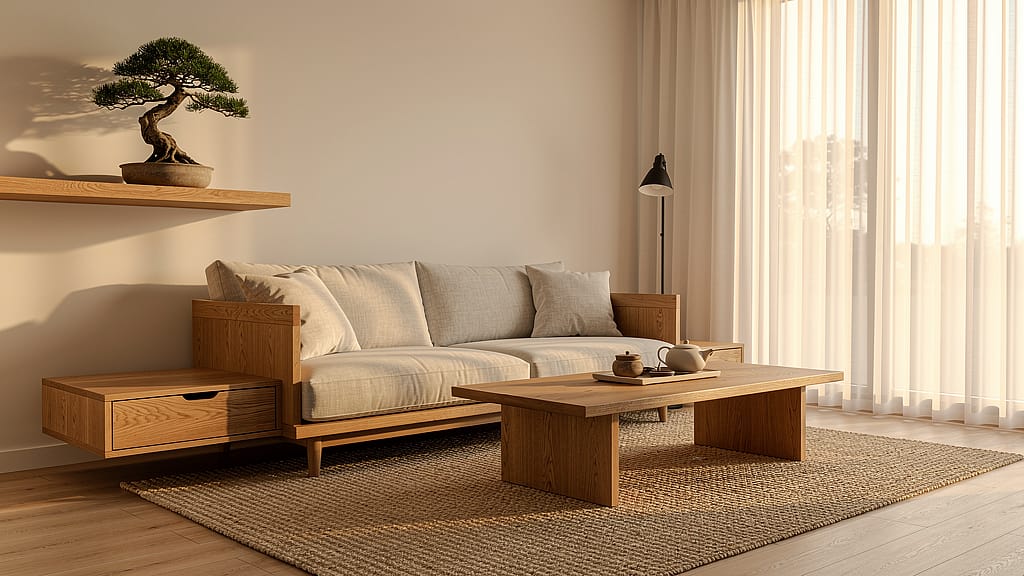
Prompt: Interior design photograph of a Japandi-style living room, warm oak wood furniture with clean unornamented lines, natural linen upholstery, woven jute rug, floor-to-ceiling windows with filtered afternoon light, a small bonsai on a floating oak shelf, architectural magazine quality
32. Brutalist Museum Exterior
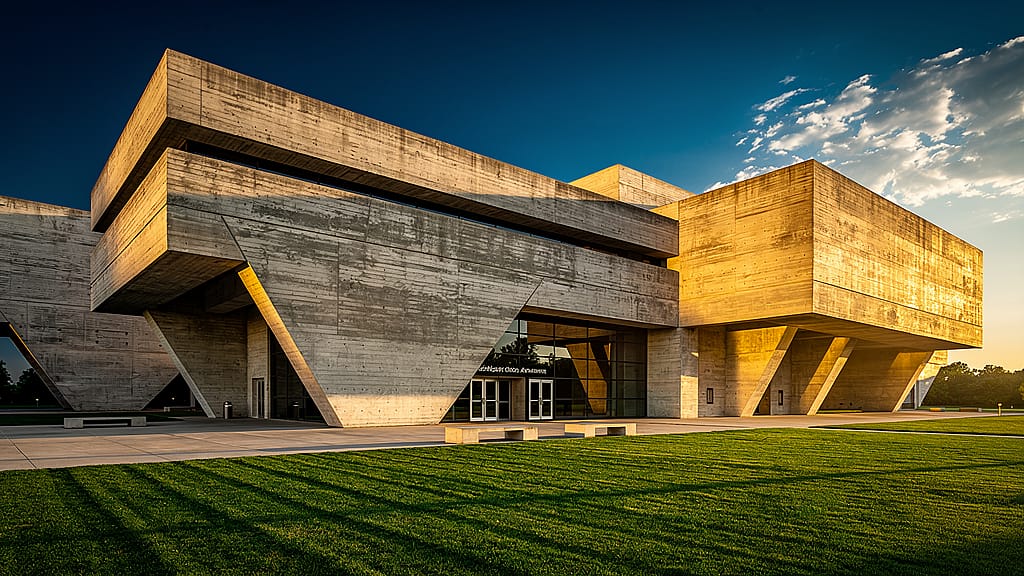
Prompt: Exterior architecture photograph of a large brutalist concrete museum, dramatic angular overhangs throwing hard geometric shadows, late afternoon sun raking across the facade, perfectly manicured lawn in the foreground, ultra-sharp detail, wide perspective, Architectural Digest quality
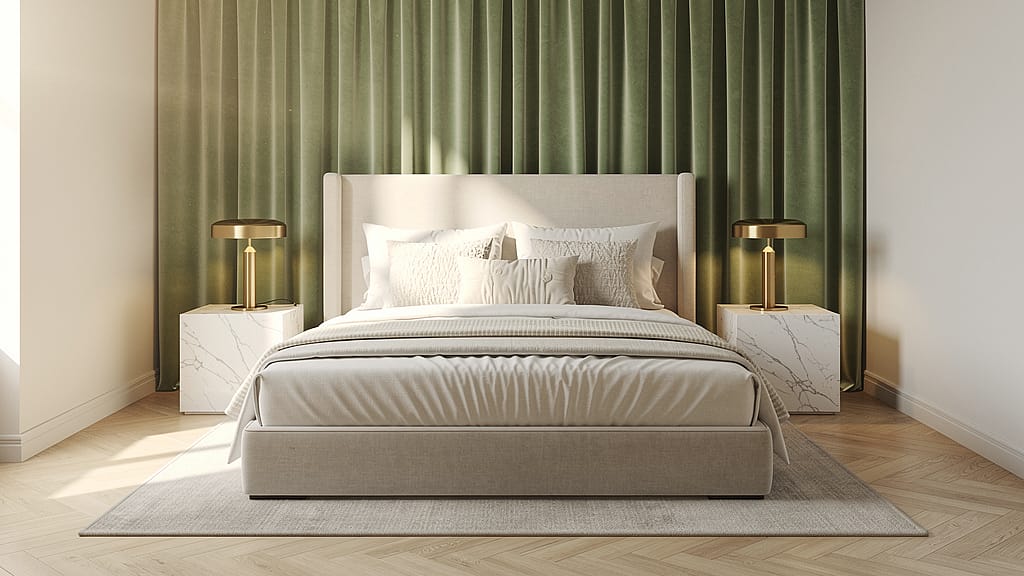
33. Luxury Master Bedroom
Prompt: Interior design render of a luxury master bedroom, king-size bed with layered ivory linen, matching marble side tables with brushed brass lamps, floor-to-ceiling sage green velvet curtains, morning light entering from the left, editorial interior photography, no clutter, aspirational calm
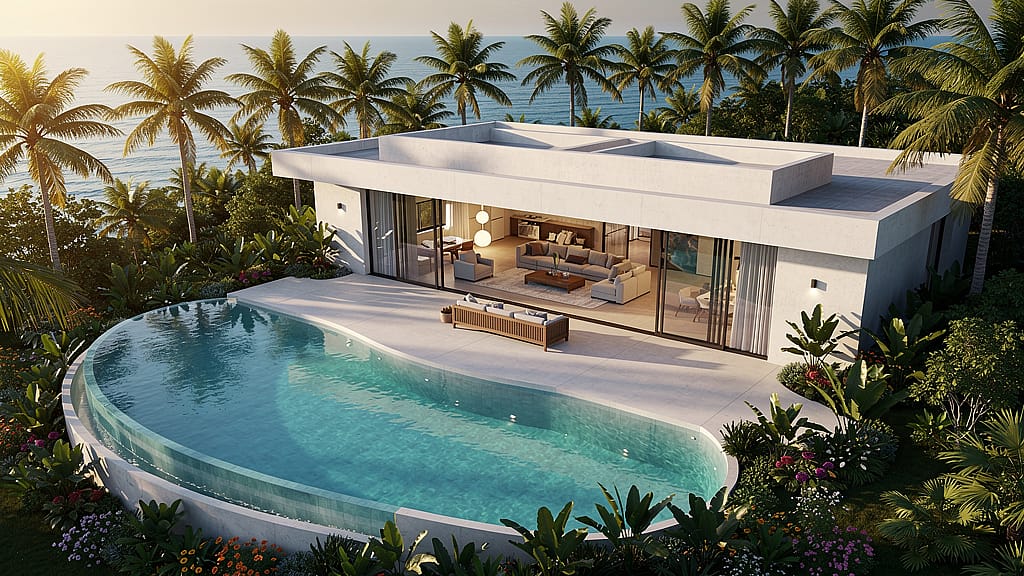
34. Tropical Villa Aerial
Prompt: Drone aerial view of a modern tropical villa with a curved infinity pool, surrounded by dense palm trees and tropical garden, open-plan living room visible through full-glass sliding walls, ocean on the horizon, golden hour warm light, architectural visualization, clean hyper-real render
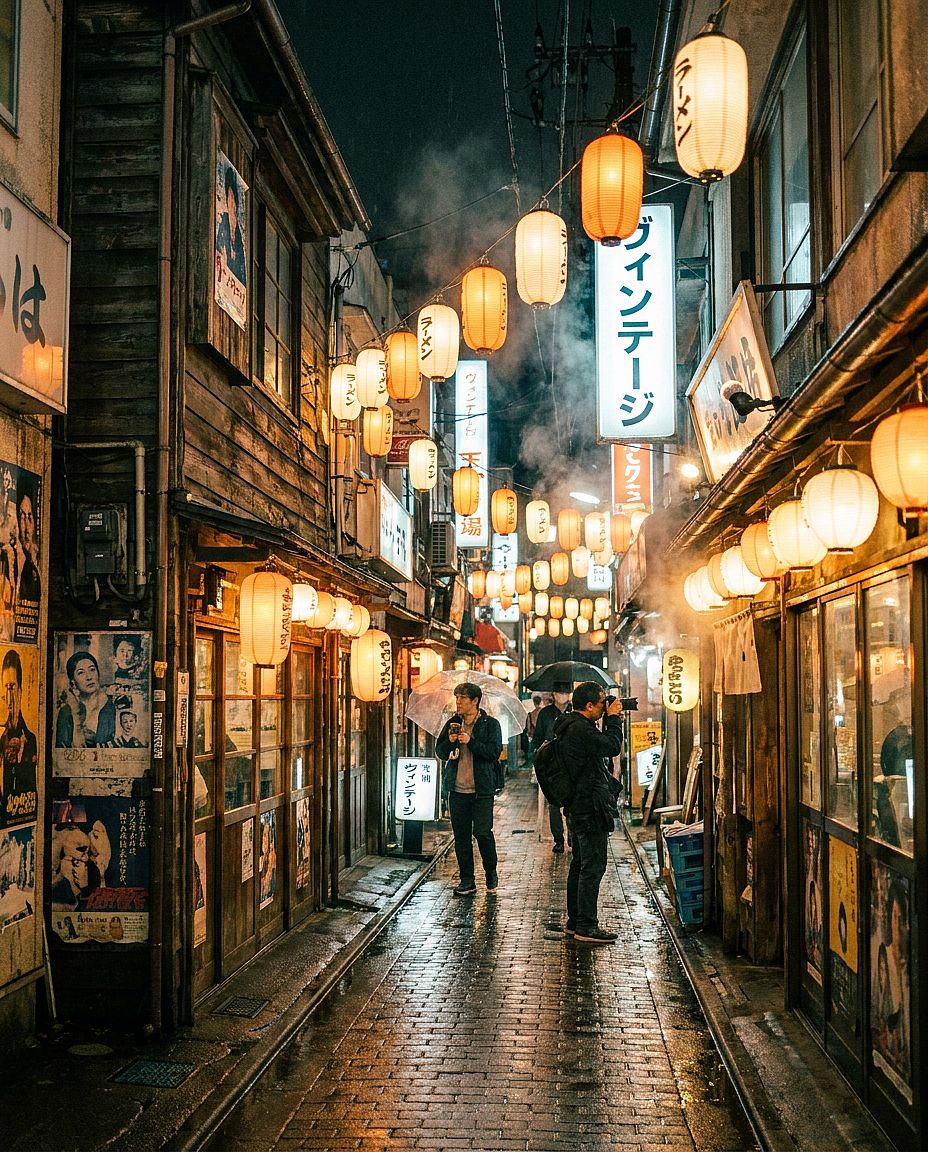
35. Tokyo Narrow Alleyway
Prompt: Street-level architectural photograph in a narrow alleyway in Tokyo's Shimokitazawa district, mismatched vintage wooden buildings with hanging paper lanterns, wet cobblestones reflecting warm shop light after rain, handwritten vintage signage, documentary travel photography, 35mm perspective
8. Food & Lifestyle AI Image Prompts
Food and lifestyle prompts need a clear subject, believable textures, and intentional light direction. Describe how the food is prepared and presented, along with the surfaces and props around it.
Reusable template: Food photograph of [DISH OR DRINK], styled with [GARNISH AND SERVING DETAILS], on [SURFACE], with [PROPS], photographed from [ANGLE], lit by [LIGHTING], [VISUAL STYLE].
An overhead view suits a breakfast spread, while a lower angle can show the height and layers of a dish. For a restaurant menu, use a reference so you can compare the portion and presentation with the food you serve.
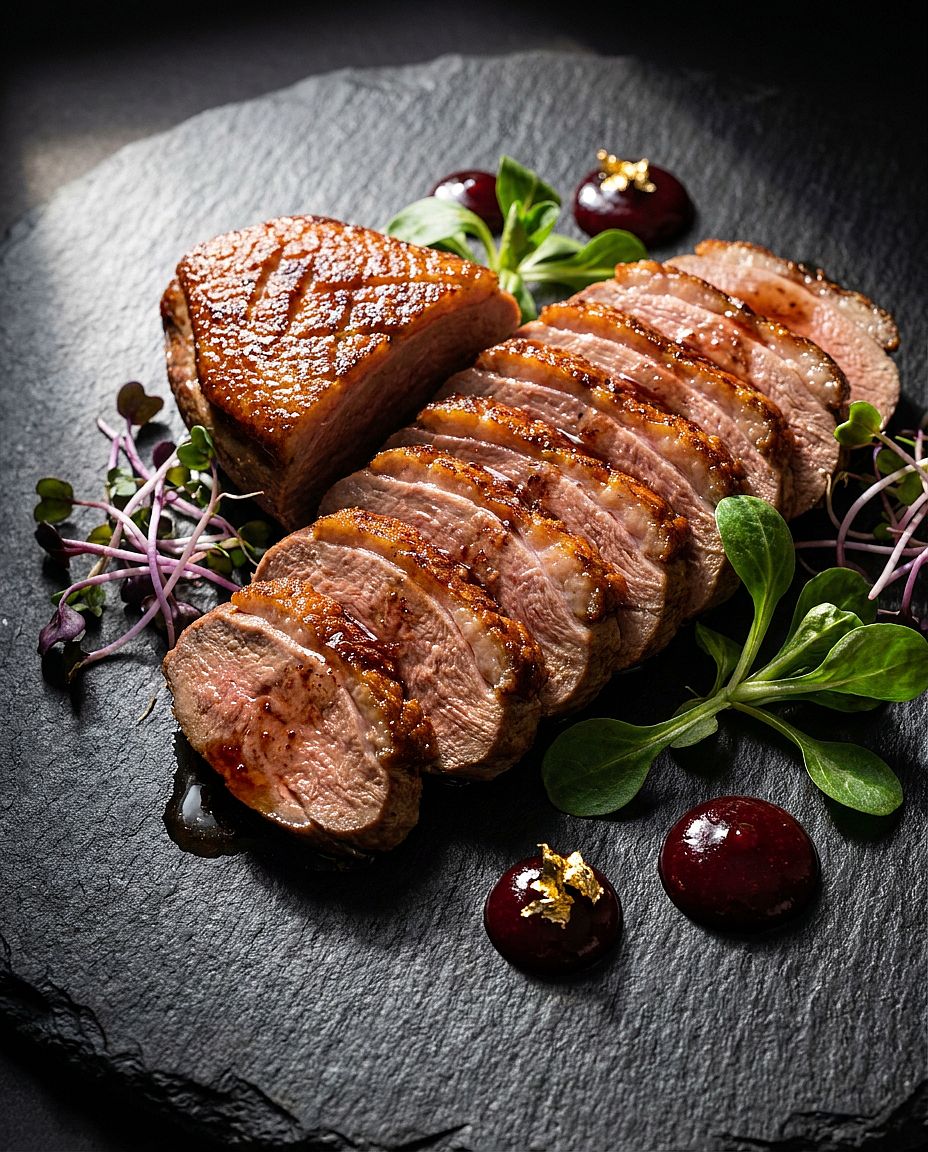
36. Fine Dining Hero Shot
Prompt: Restaurant menu hero shot of a perfectly seared duck breast, sliced thin and fanned on a slate plate, surrounded by microgreens and dots of cherry gastrique, garnished with edible gold leaf, dramatic single-source side lighting from the left, fine dining food photography, macro detail on the meat texture
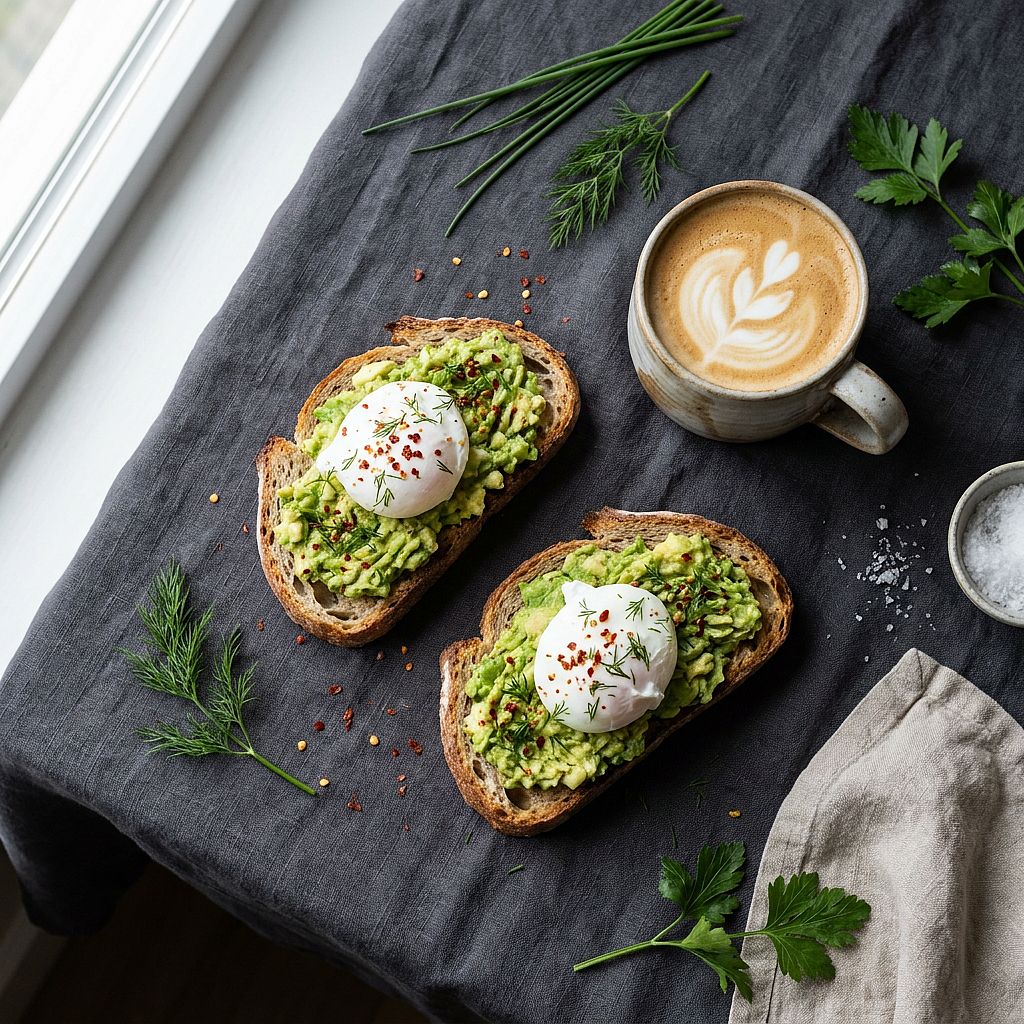
37. Avocado Toast Morning Flat Lay
Prompt: Overhead breakfast flat lay, rustic sourdough avocado toast with poached eggs and chili flakes, a ceramic latte mug with leaf latte art beside it, scattered fresh herbs on a dark linen tablecloth, soft left-side window light, Scandinavian food styling, clean and minimal
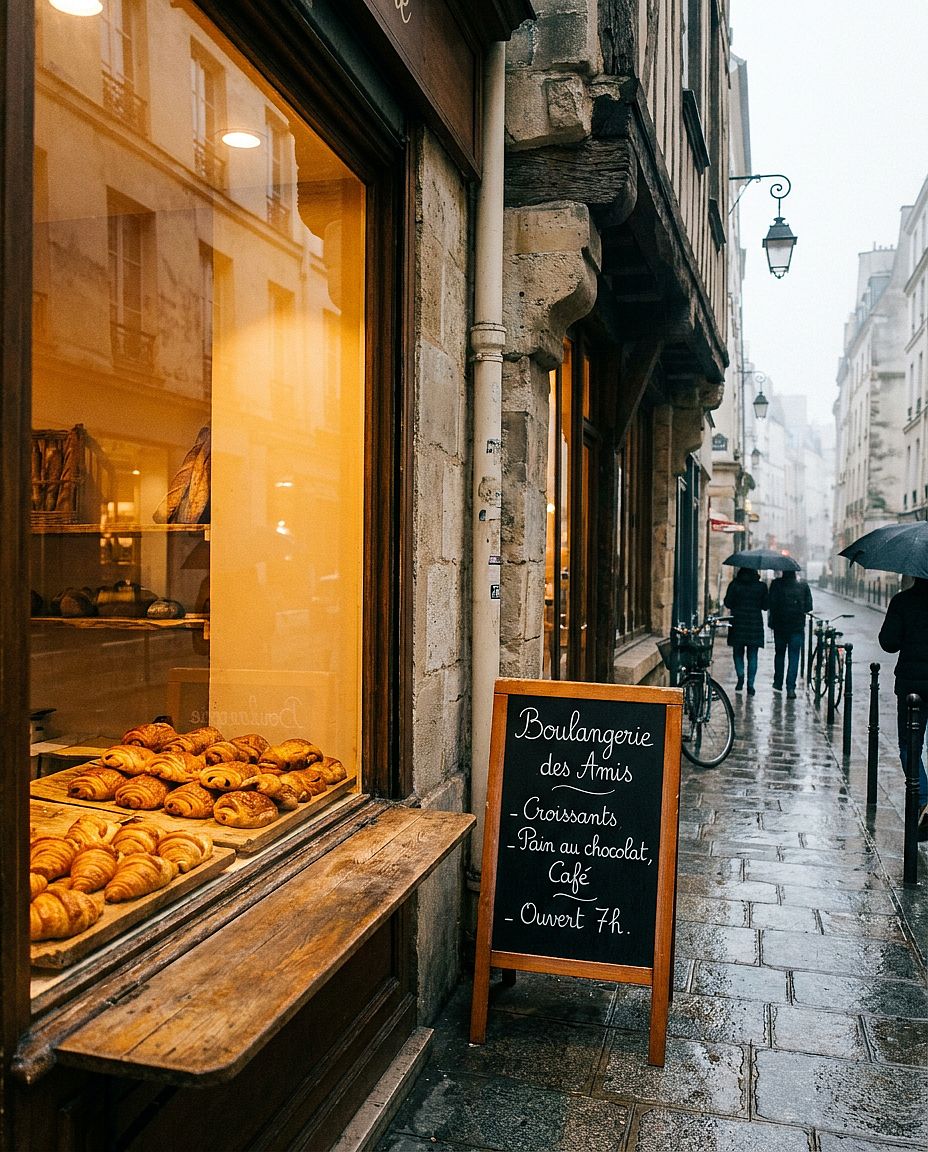
38. French Bakery Window
Prompt: Exterior shot of a Parisian bakery window, neat rows of golden croissants and pain au chocolat on weathered wooden boards inside, hand-written cursive chalkboard menu, warm amber light spilling from the interior onto morning cobblestones, light mist outside, editorial lifestyle photography
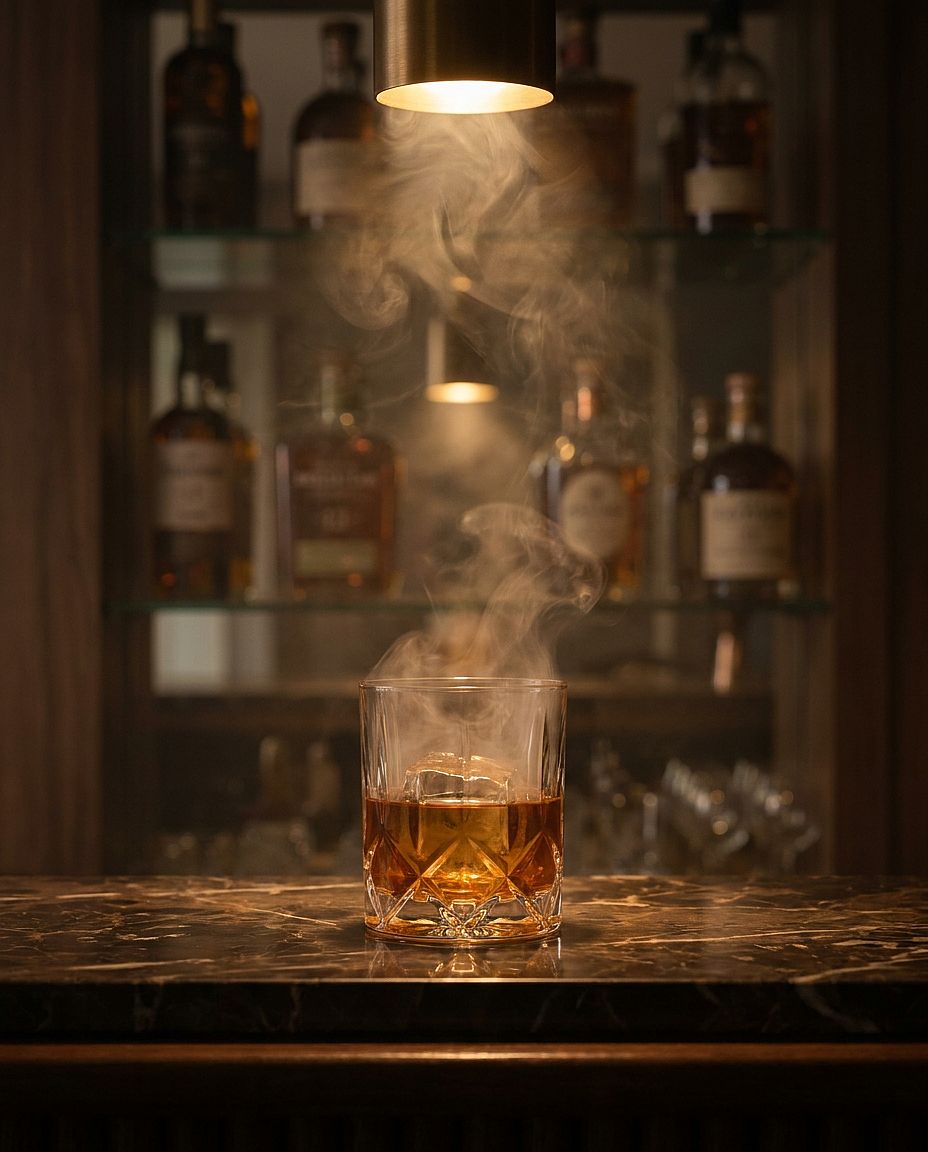
39. Moody Cocktail Bar
Prompt: Moody cocktail bar scene, whiskey in a smoke-filled crystal glass on a dark marble bar top, amber liquid with large clear ice cube, out-of-focus bottles on mirrored shelves behind, warm tungsten spotlight from directly above, cinematic color grade, luxury spirits advertisement quality
40. Farmers Market Stall
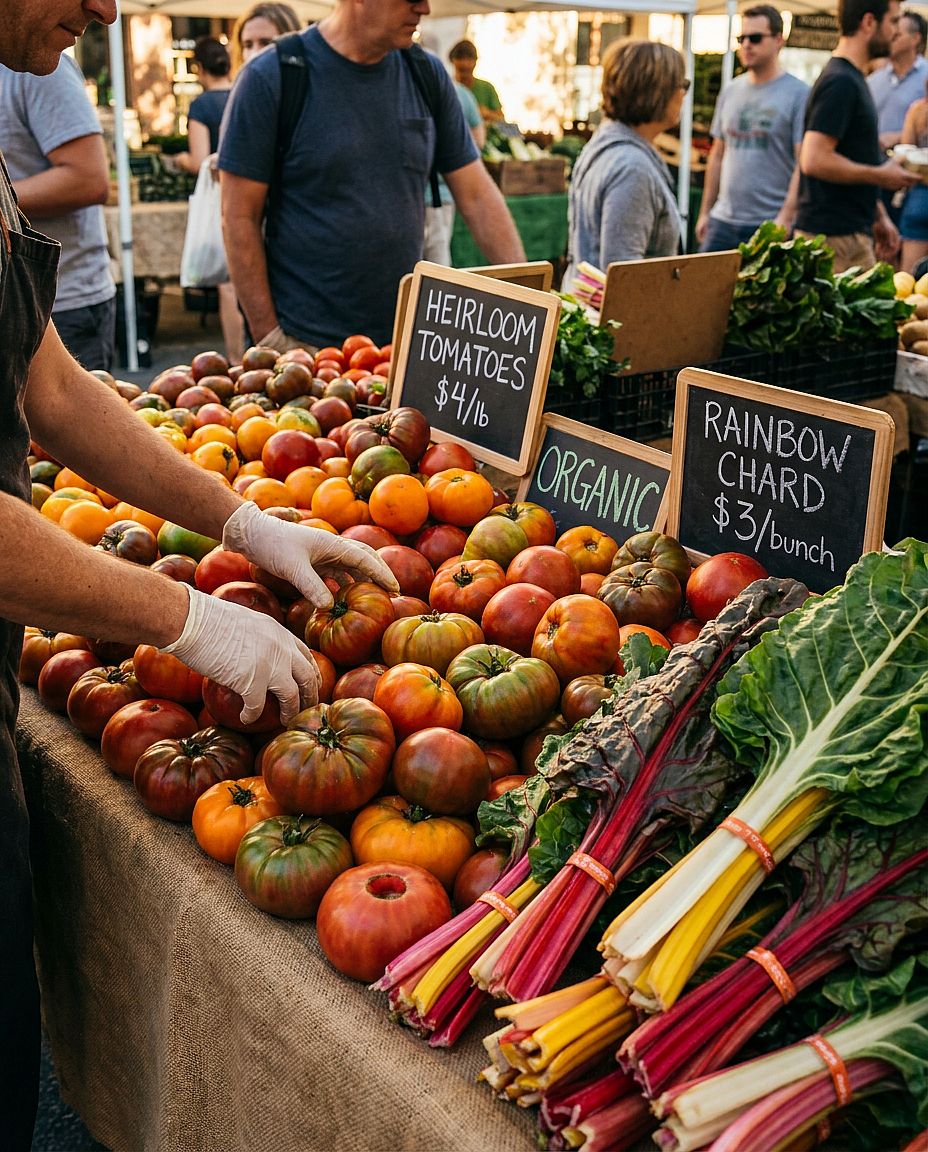
Prompt: Vibrant outdoor farmers market stall overflowing with heirloom tomatoes in red, orange, and green, stacked rainbow chard, hand-painted price tags on small chalkboards, vendor's hands arranging produce in the frame, warm dappled afternoon sunlight, documentary lifestyle photography, saturated natural tones
9. Cyberpunk & Sci-fi AI Image Prompts
Cyberpunk and sci-fi scenes need more than a list of neon colors. Specify where the light comes from, what reflects it, and how the main subject stands out from the environment.
Reusable template: Sci-fi scene of [SUBJECT OR LOCATION], featuring [TECHNOLOGY DETAILS], with [MAIN ACTION], [LIGHT SOURCES], [COLOR PALETTE], [ATMOSPHERE], and [CAMERA COMPOSITION].
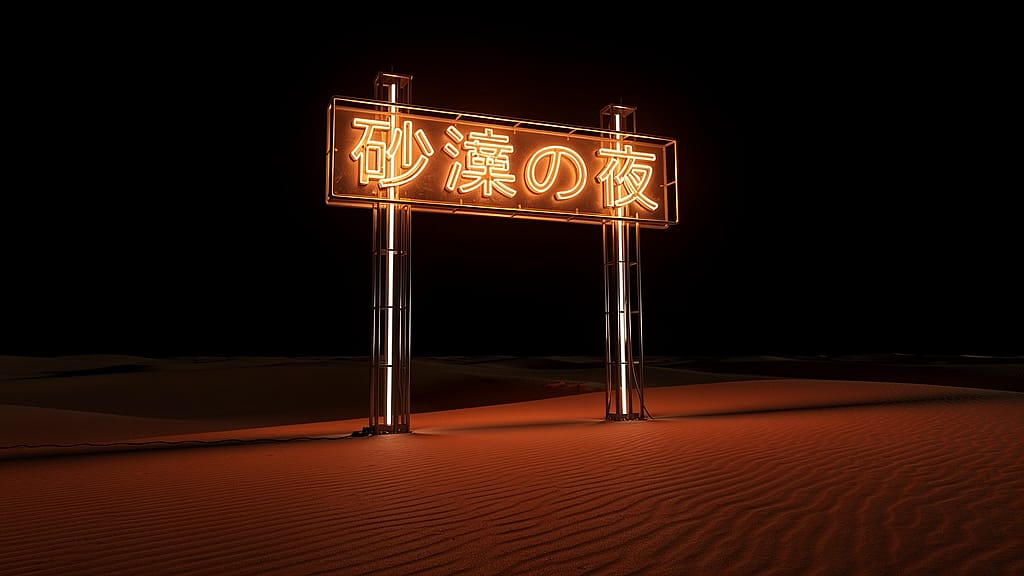
Choose one or two dominant light colors and give them a source, such as a storefront sign or a blue control panel. If a sign needs readable words, include the exact text and its position.
41. Neon Tokyo Alley
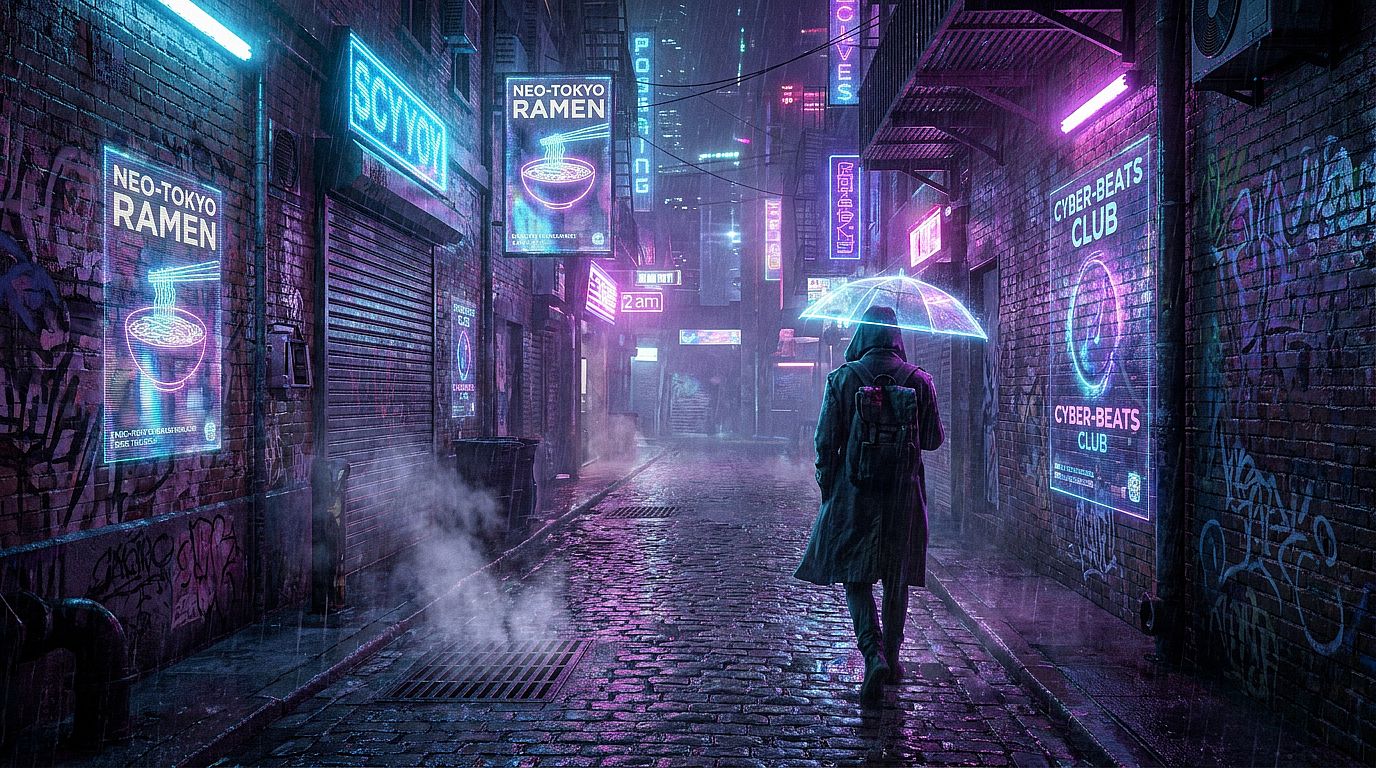
Prompt: Rain-slicked neon-lit cyberpunk alley at 2am, holographic advertisement projections flickering on wet building walls, a lone figure in a long trench coat walking away from camera, steam rising from drainage grates in the foreground, deep electric blue and hot pink neon reflections in puddles, cinematic widescreen 2.39:1
42. Dystopian Megacity
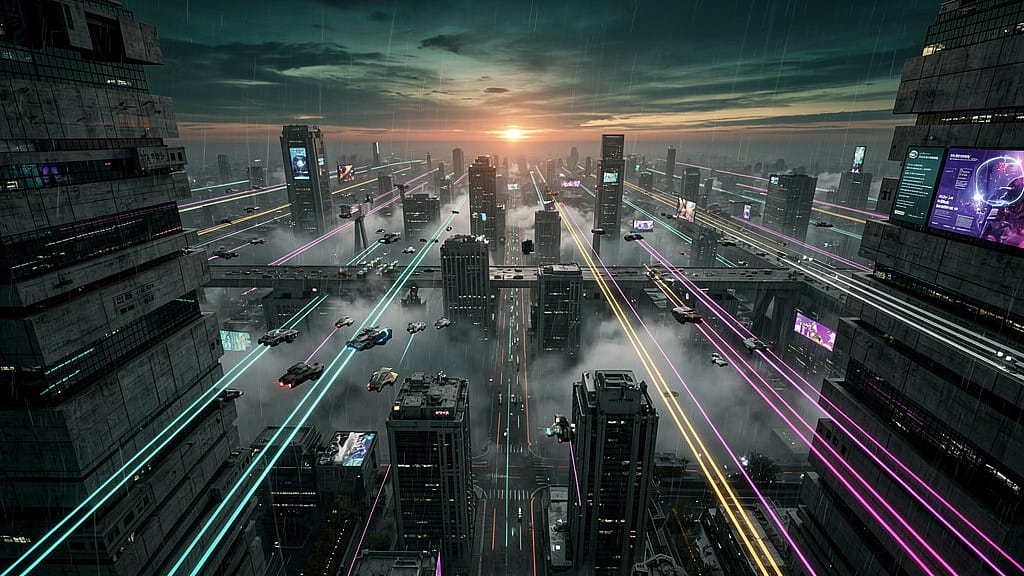
Prompt: Aerial view of a massive dystopian megacity at dusk, towering brutalist skyscrapers stretching to the horizon, flying vehicles with long light trails at mid-height, thick smog catching the last orange light near the horizon, Blade Runner 2049 color palette, ultra-dense ultra-detailed concept art
43. Cyborg Portrait
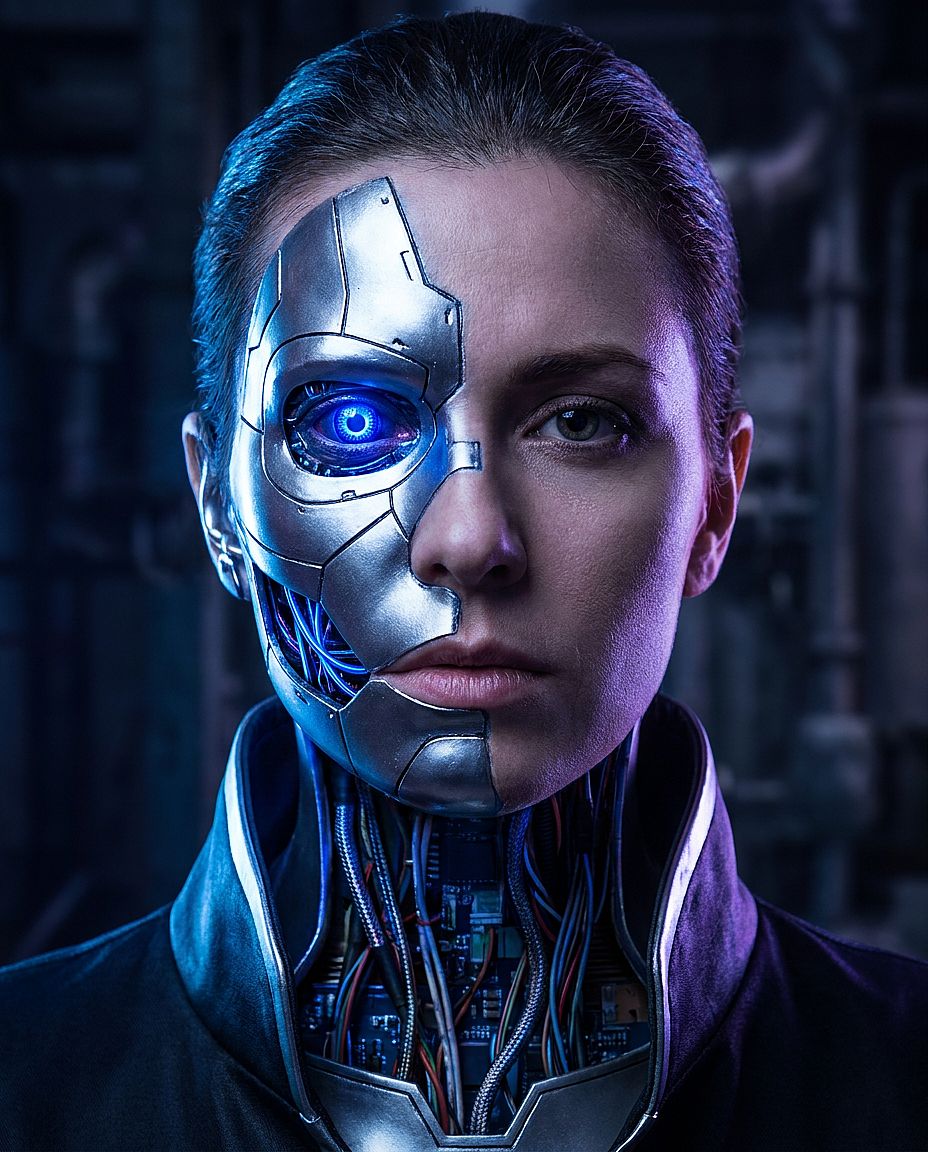
Prompt: Close-up portrait of a female cyborg, chrome and titanium plating covering the left half of her face with visible seams, a glowing cobalt-blue optical implant in the left eye, exposed circuit wiring at the neck join, dramatic rim lighting from behind, photorealistic, sci-fi film still quality
44. Space Station Interior
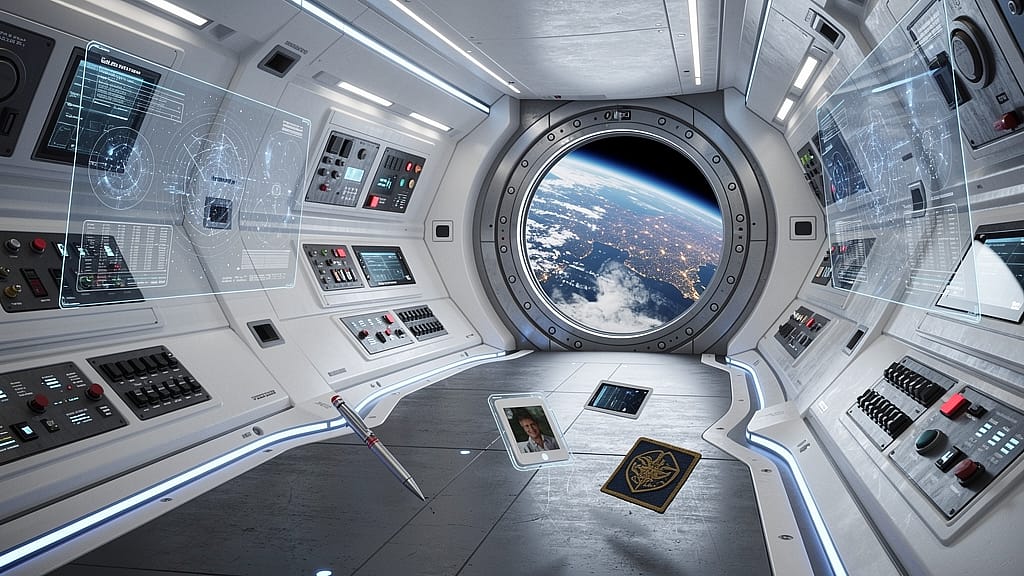
Prompt: Interior of a futuristic deep-space station hub corridor, curved white polymer walls with embedded blue LED strip lighting, control panels with holographic displays, a large circular porthole showing Earth from orbit, floating personal items in zero-g, photorealistic hard sci-fi visual style
45. Neon Desert Installation
Prompt: At night in an empty desert, a massive glowing neon sign in Japanese kanji characters standing alone in the sand, warm neon light spilling across nearby dunes and casting long shadows, an infinite dark sky above, minimal stark composition, fine art photography meets sci-fi installation
10. Vintage & Retro AI Image Prompts
Retro prompts are easier to direct when you specify the decade, clothing, setting, and photographic treatment. Describe the visual effects you want, such as faded colors, direct flash, grain, or a worn print border.
Reusable template: [DECADE]-inspired photograph of [SUBJECT], wearing [CLOTHING], in [SETTING], with [LIGHTING], [COLOR TREATMENT], [TEXTURE], and [FRAMING].
Match the clothes and props to the era you have in mind. Use grain, flash, fading, and print borders to shape the photographic look; check period details separately when historical accuracy matters.
46. 1970s Film Portrait
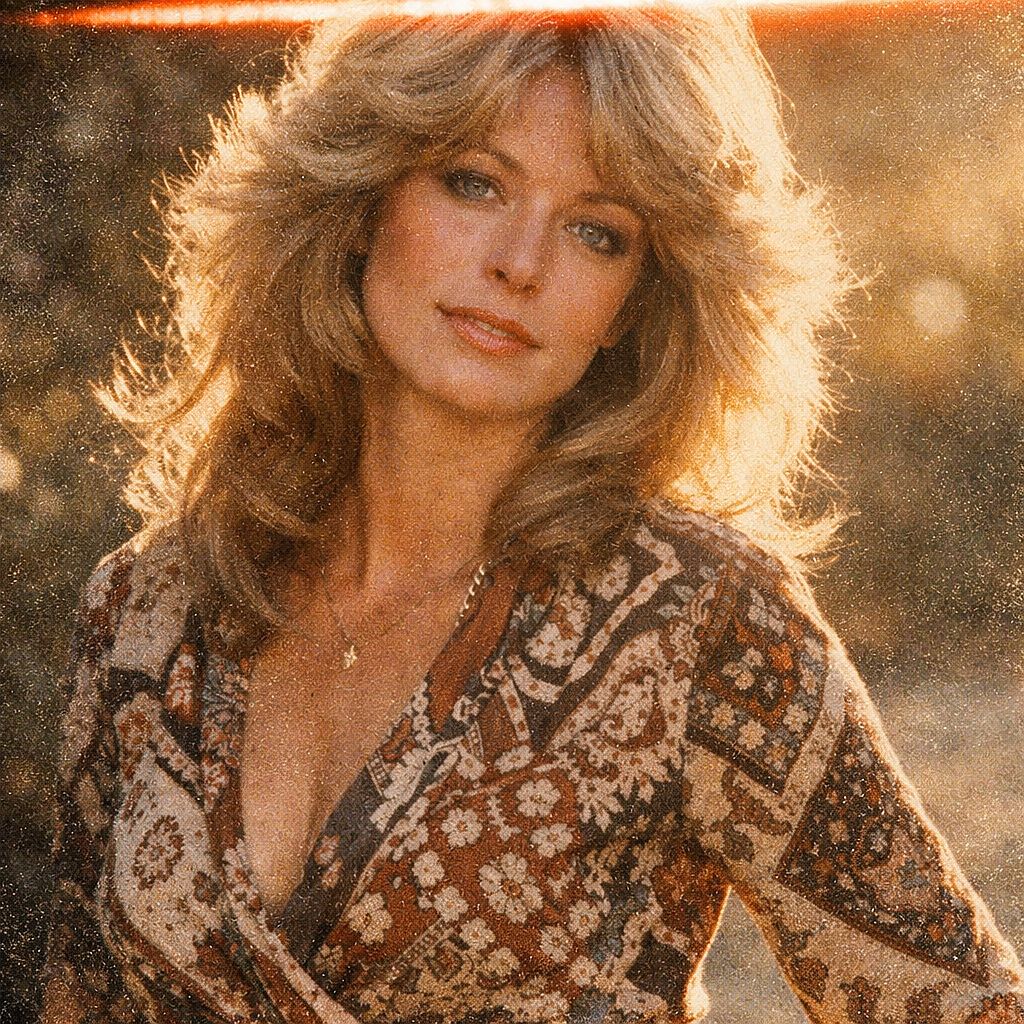
Prompt: 1970s film photography portrait of a woman in her late 20s, feathered layered Farrah Fawcett-era hair, wearing a patterned wrap dress, soft warm backlight from a late afternoon sun, very heavy film grain, faded analog color palette, light leak streak across the top edge, Kodak Ektar film simulation
47. 90s Polaroid Party
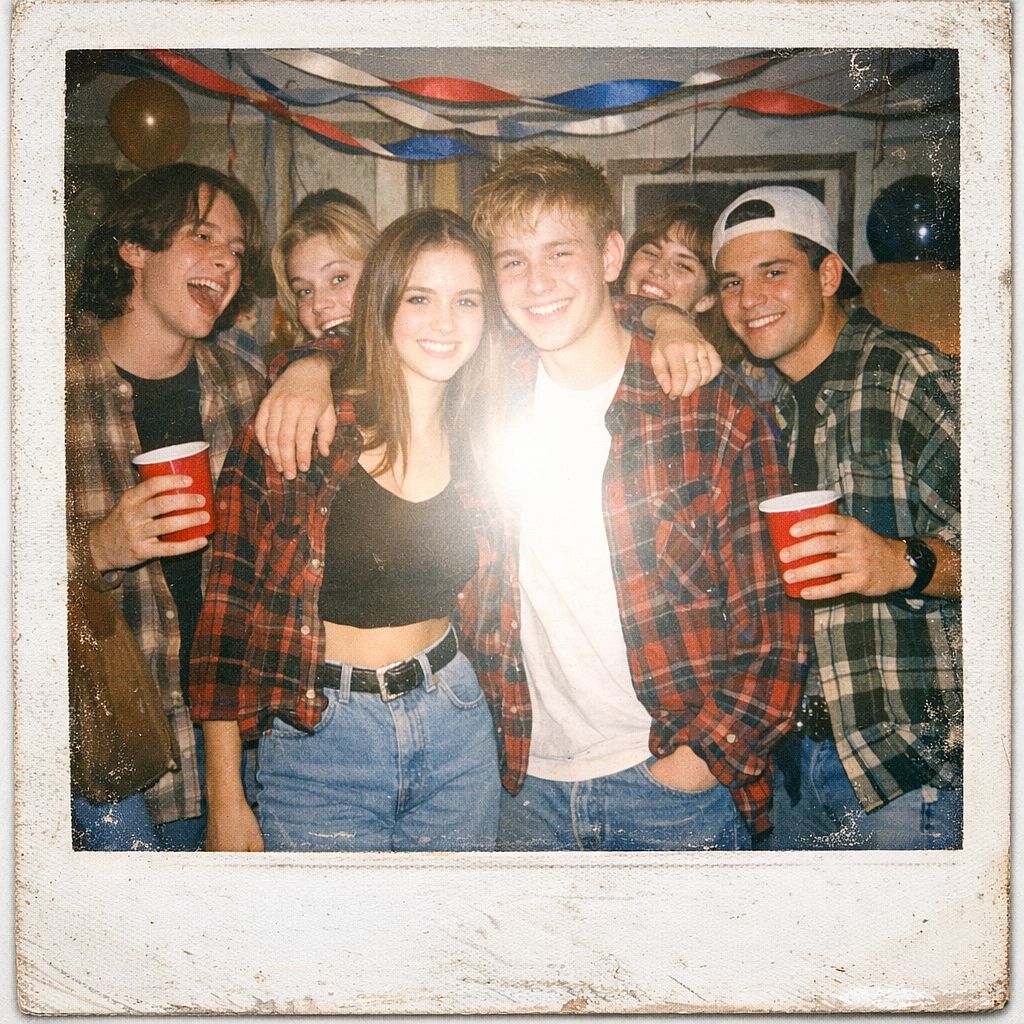
Prompt: Polaroid photograph aesthetic, group of teenagers at a 1990s house party, flannel shirts and Doc Martens and high-waist jeans, disposable camera flash bleaching the center of frame, overexposed highlights, dated party decorations with streamers and Solo cups, nostalgic worn white Polaroid border
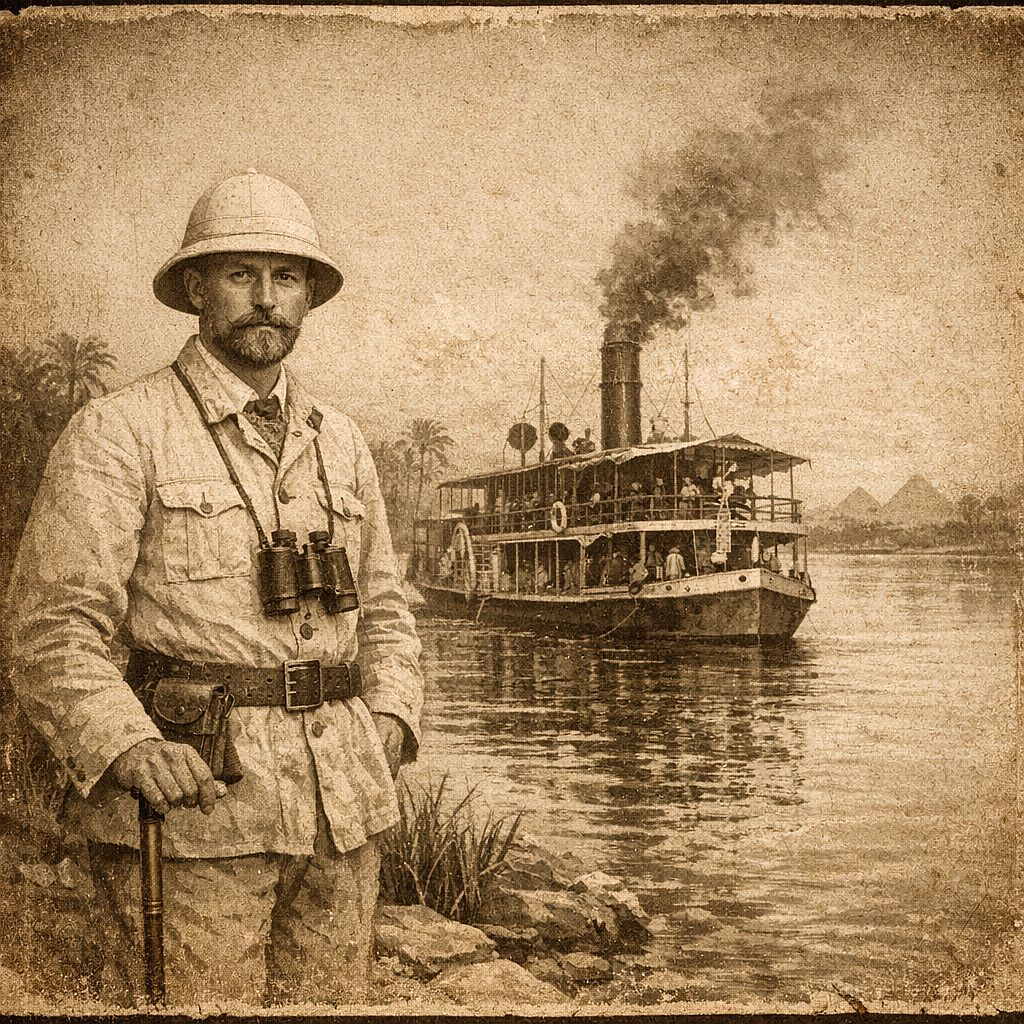
48. Victorian Explorer Photograph
Prompt: Antique sepia-toned photograph circa 1890, a European explorer in a linen pith helmet standing at the edge of the Nile, a coal-powered steam riverboat behind him, formal composed portrait, aged paper texture with brown and cream tones, vignette darkening the edges, no digital artifacts
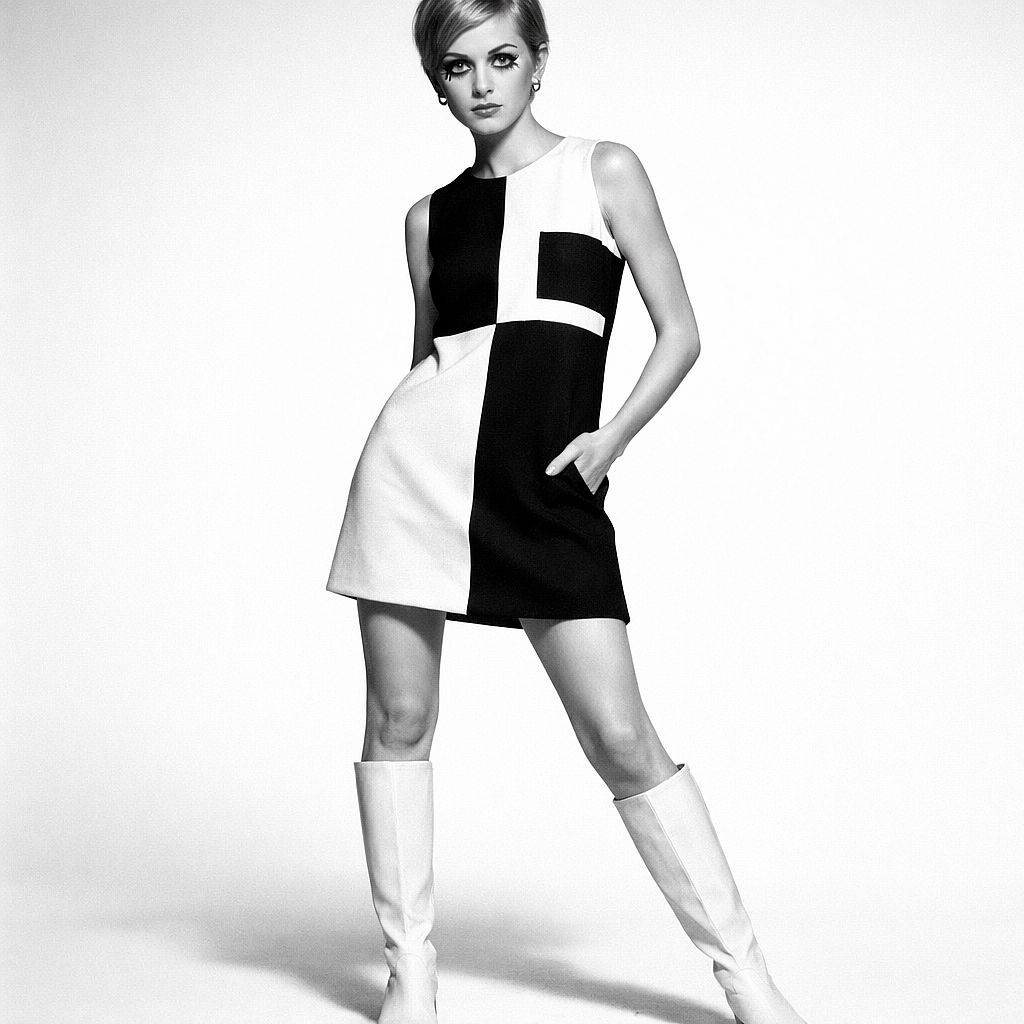
49. 1960s Mod Fashion
Prompt: 1960s fashion editorial photograph, female model in a bold black and white geometric Mod mini dress and white go-go boots, clean white infinity studio background, high-contrast black and white photography, Twiggy-era proportions and makeup, Vogue Paris quality, 50mm lens
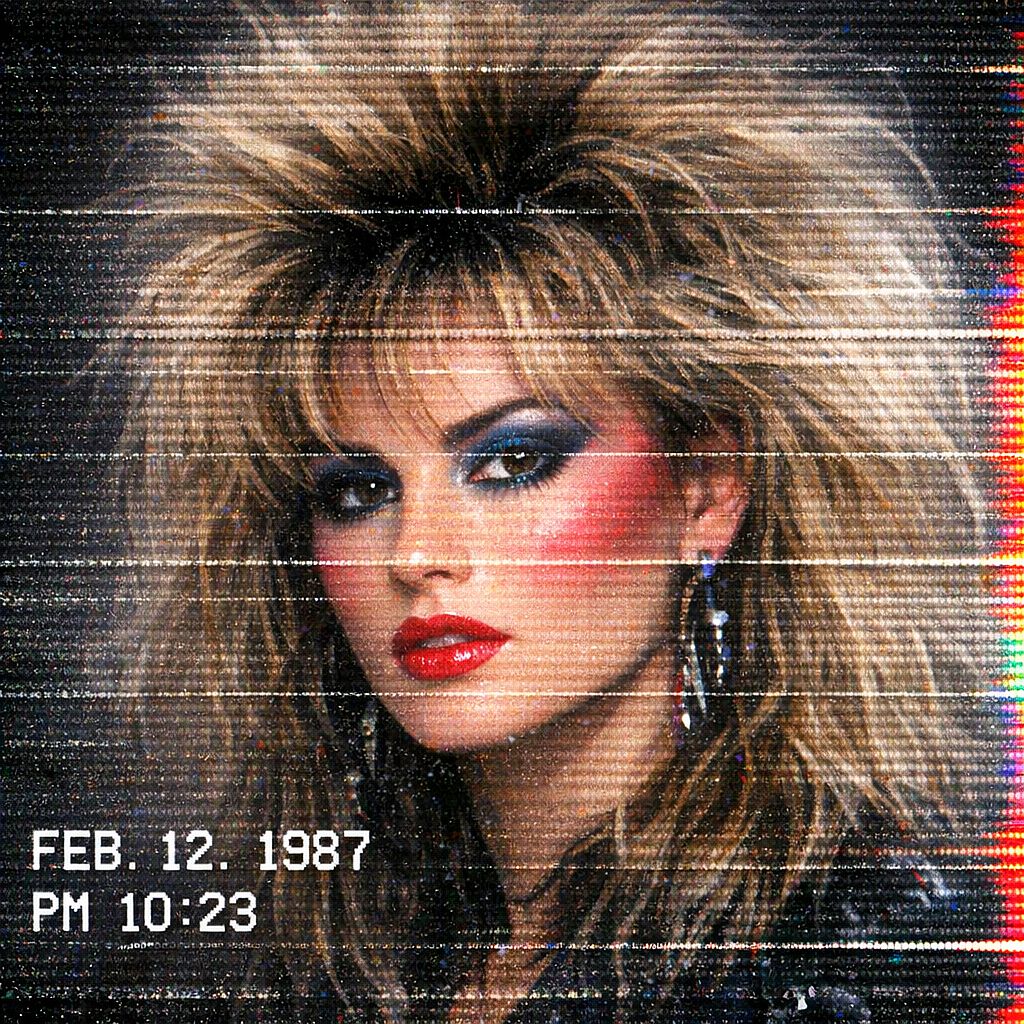
50. VHS Glitch Portrait
Prompt: VHS glitch aesthetic portrait, subject with voluminous 80s hair and bold makeup, horizontal scan line distortion across the image, color channel bleeding on the right edge, a white timestamp overlay in the bottom-left corner, heavy digital noise and static texture, retro television recording look
Text variation: For a specific timestamp, add the exact text in quotation marks, such as "A white timestamp reading '08:42 PM' appears in the bottom-left corner." Check the rendered characters before using the image.
How to Adapt These Prompts for Better Results
1. Choose a Model for the Image You Need
Start with the kind of work you want to make. The models below are available on OpenArt and offer different ways to generate, edit, and refine an image.
| Model | When to Try It | How to Use These Prompts |
|---|---|---|
| GPT Image 2.5 | Product photography, portraits, images with text, and targeted edits. | Use Flare to explore variations, or Sunburst when you want to prioritize detail. Specify the subject, layout, and exact wording for any text. |
| Nano Banana 2 | Exploring photographic and illustrated styles, including scenes with several subjects. | Describe where each subject belongs. Keep the composition fixed while you compare lighting, clothing, or style variations. |
For a useful comparison, run the same prompt and references through two models with similar settings. Look at facial resemblance for portraits, packaging accuracy for products, and lettering for brand visuals. Choose the result that best matches your brief.
2. Choose the Aspect Ratio Before Generating
Match the canvas to the final placement. These are useful starting points, subject to the ratios supported by your selected model:
- 1:1: Square social graphics, avatars, and centered product compositions.
- 4:5: Portrait-oriented feed images and product visuals.
- 9:16: Full-screen vertical compositions.
- 16:9: Blog hero images, landscape thumbnails, and presentation visuals.
- 3:2: Landscape-oriented photographic compositions.
- 2:3: Portrait photography, poster concepts, and book-cover concepts.
A 2.39:1 cinematic frame is wider than 16:9. If your model does not support the requested ratio, choose a suitable available canvas and leave room to crop. Keep important faces, objects, and text away from the crop edges.
3. Use a Reference When Specific Details Must Carry Over
Use an image-to-image workflow when an existing face, product, room, or composition should guide the result. Choose a model that accepts references, upload the image, and describe both the desired changes and the details to preserve. Reference support and controls vary by model.
If you want a written description of a reference's lighting, framing, palette, or style, use the image-to-prompt tool. Edit the resulting description before generating. Use it as a starting description of the reference, then adjust the details for your own image.
4. Change One Variable at a Time
Start with the largest mismatch: subject, composition, lighting, or style. Change one of those, generate again, and compare. Save the prompt, model name, settings, and references alongside a result you like so you can return to the same setup.
For a targeted edit, try: "Change only the background to a plain gray studio wall. Keep the subject's face, hairstyle, clothing, pose, and lighting unchanged." After the edit, check that the face, clothing, and lighting still match the original.
5. Fix Common Problems with Specific Instructions
| Problem | What to Try |
|---|---|
| Skin looks waxy or overly smooth | Describe visible pores, fine lines, subtle skin-tone variation, and soft directional light. Reduce requests for flawless skin or heavy retouching. |
| A face or product changes between images | Use a reference and explicitly list the identifying details to preserve. Compare those details after each generation. |
| Text is misspelled or crowded | Shorten the copy, place the exact words in quotation marks, and specify their position and size. Edit persistent errors separately. |
| The composition feels cluttered | Keep one focal subject, reduce competing props, and describe where empty space should remain. |
| The background is wrong but the subject is usable | Edit the background region, then check the subject, edges, and shadows for unintended changes. |
| A supposedly transparent image has a solid backdrop | Check the model's transparency support and the exported file. A white or checkerboard-looking background may be part of the image. |
For portraits that still look too smooth, see how to fix plastic skin in AI portraits for a more detailed editing workflow.
How to Use These Prompts on OpenArt
- Open Create Image. Sign in to OpenArt and open the image creation workspace.
- Choose a model and input type. Use text alone for a new concept, or a reference-compatible model when an existing image should guide the result.
- Paste an example or customize a template. Replace every bracketed field with your own details. Set the aspect ratio, resolution, and other available options in the interface.
- Generate and inspect. Check the subject, composition, text, and any details that should match a reference. Generation time and credit usage vary with the model and settings.
- Refine and export. Adjust one part of the prompt or edit the affected region, then download the result and check its dimensions and file format.
For a fuller walkthrough of the interface, follow how to generate an AI image on OpenArt. Check your account for available credits and the OpenArt pricing page for current subscription options.
Frequently Asked Questions
What makes a good AI image prompt?
A good prompt communicates the visual decisions that matter: the subject, action, setting, composition, lighting, and style. Put the most important requirements first. Concrete details such as "soft window light from the left" are easier to evaluate than broad requests such as "make it beautiful."
Can I use these prompts on any AI image generator?
These examples use natural language, so they can serve as starting points across many image generators. Results and supported features differ. Check the selected model's handling of references, text, transparency, and exclusion instructions, and set dimensions in the interface rather than assuming the wording will control the canvas.
Which AI model gives the most realistic portraits?
GPT Image 2.5 and Nano Banana 2 are useful starting points for photographic portraits. Try the same prompt and reference with both, then compare skin texture, eyes, lighting, and resemblance. For a headshot, choose the image that looks like the person you photographed.
Why does my AI image look different from the example?
The prompt is only part of the setup. The model version, settings, reference images, and generation randomness can all affect the result. Save these details where available. For a person or character you want to reuse across scenes, OpenArt's AI Character Builder offers a reusable character workflow; still check identity and styling after each generation.
How long should an AI image prompt be?
Use enough detail to express the image without introducing conflicting instructions. A short paragraph is a practical starting point; simple concepts may need less, and complex scenes may need more. There is no universal 30-word minimum or 60-word maximum. Input limits depend on the model and interface. For longer prompts, separate the subject, scene, style, and constraints into clear sentences or labeled lines.
Are AI-generated images free to use commercially?
Free access to a prompt does not determine the usage rights for the image you generate. OpenArt's current terms permit commercial use of output generated at the Plus subscription level and above, subject to the terms and applicable law. Review the OpenArt terms before using outputs in paid campaigns or client work.
Can I edit an AI-generated image after creating it?
Yes. You can use AI image inpainting to edit a selected region, such as replacing a background or changing a prop. Describe the change and inspect the surrounding edges, light, and shadows afterward. Other editing options depend on the model and tools you choose.
Start with a Prompt, Then Make It Your Own
Choose the category closest to your goal, paste an example or fill in its reusable template, and set the canvas for your final placement. Use a reference when specific details need to carry over, compare results against those requirements, and refine one decision at a time. Save the setup when you find a result worth building on.